
Step 1:
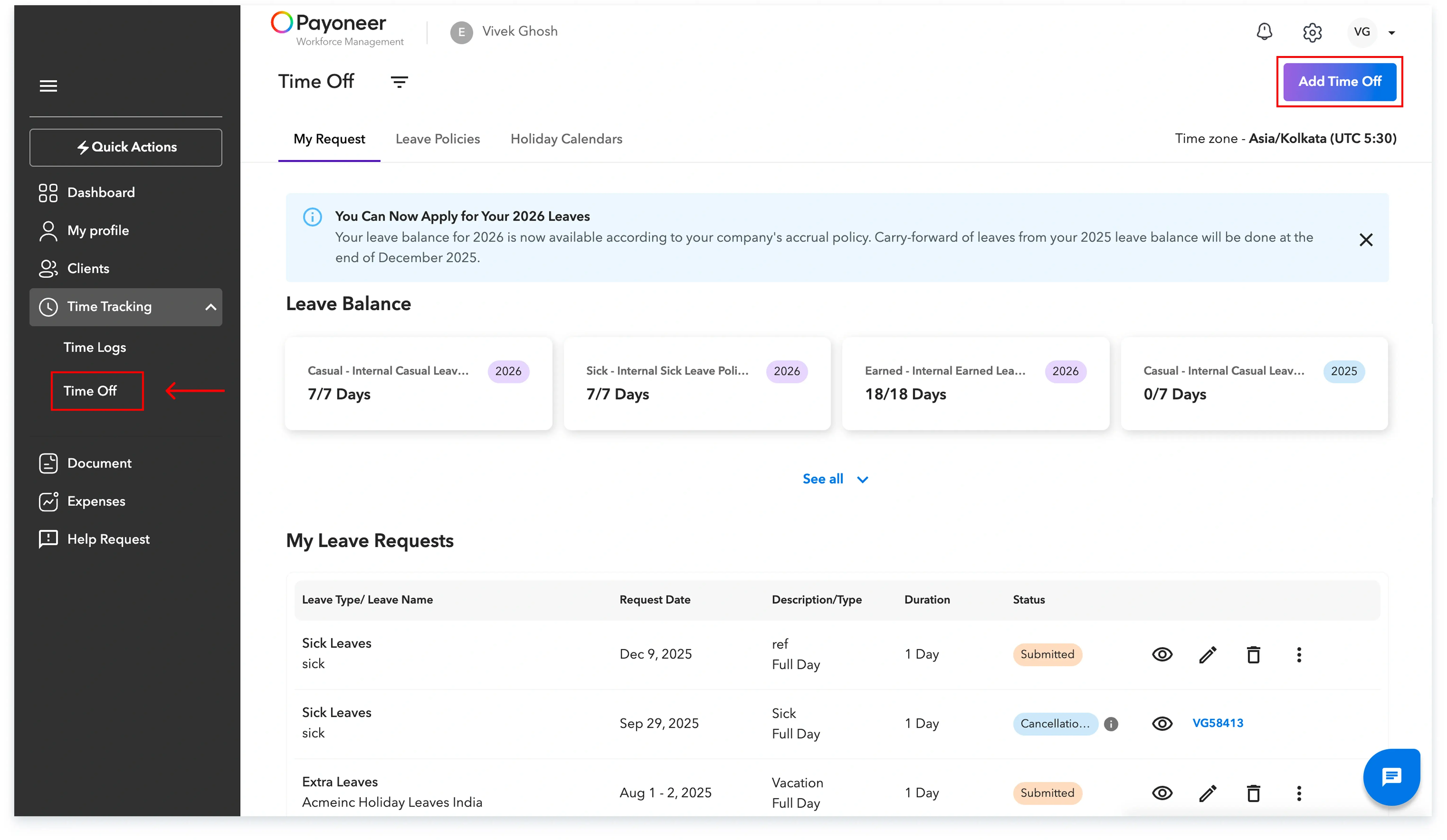
Navigate to the ‘Time Tracking’ section and click on ‘Time off’.
You can apply for a leave by clicking on the ‘Add Time Off button .
Step 2: A ‘New Request’ page opens up where you can add additional details.
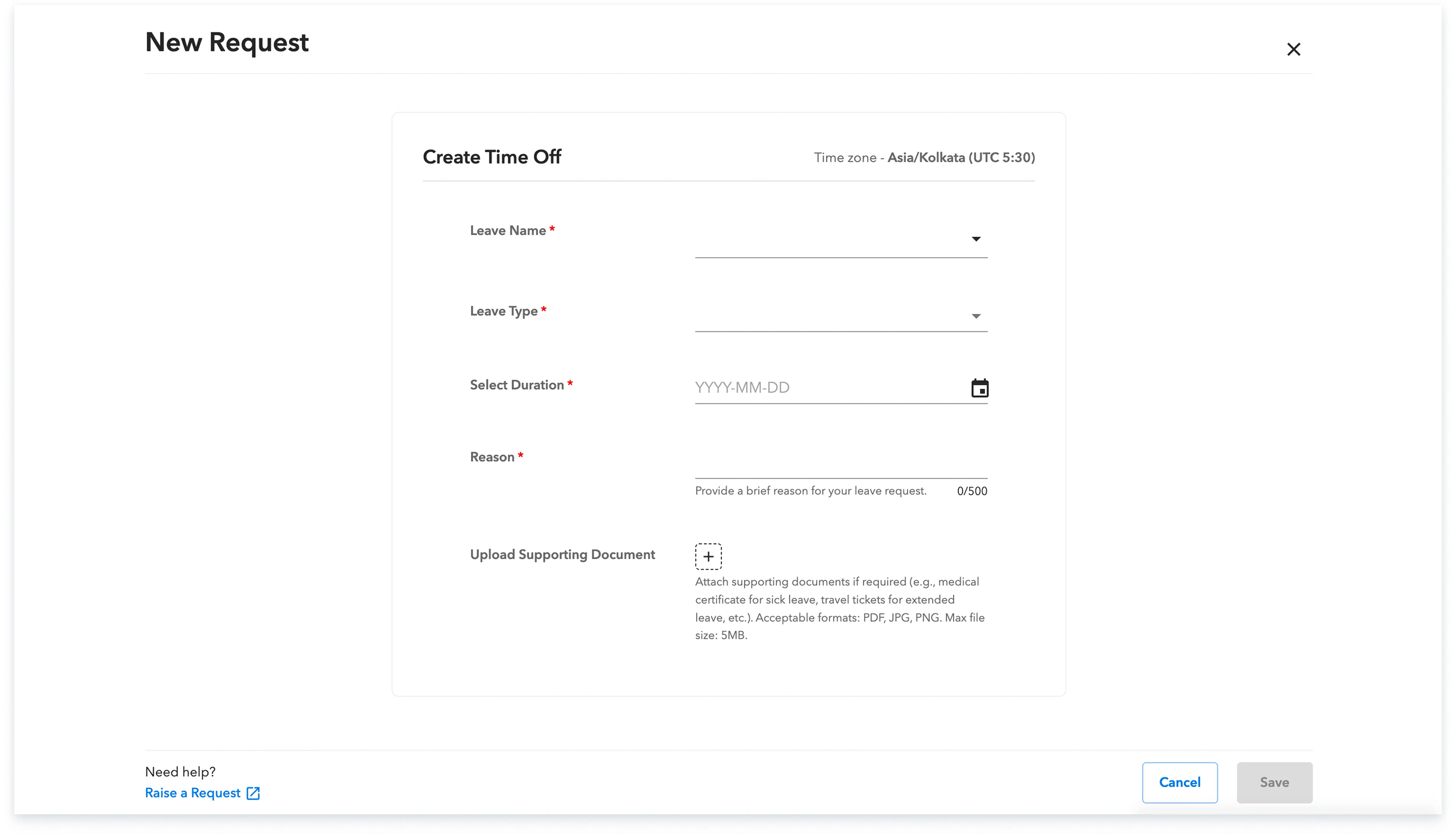
Details to be filled to apply time-off:
While filling out a new request, following are mandatory fields:
A non mandatory but recommended step is to attach supporting documents like a medical certificate for sick leave, travel tickets for extended leave and any other kind of leave.
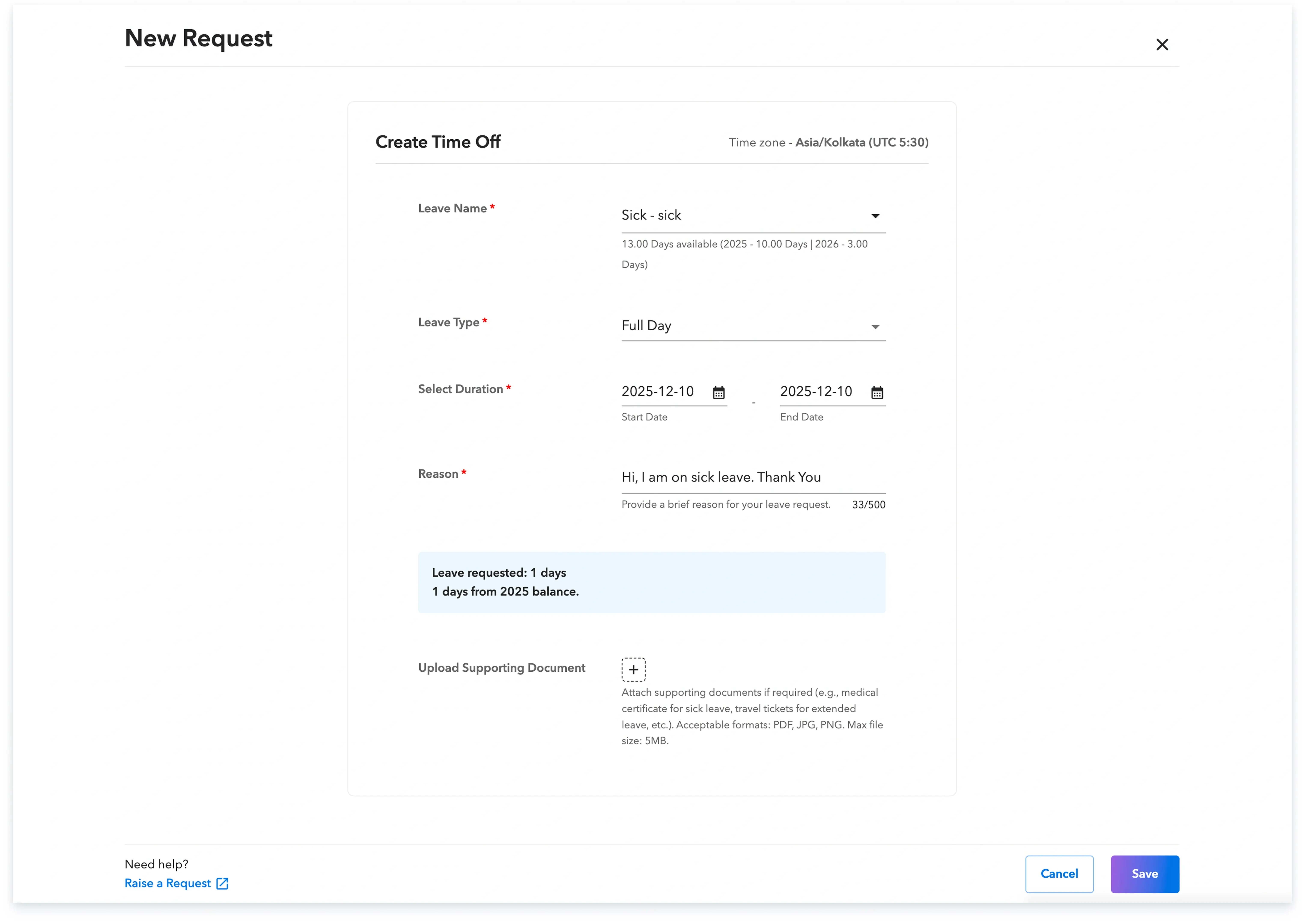
Note: After submission of leave request, it goes for approval to your approval manager.
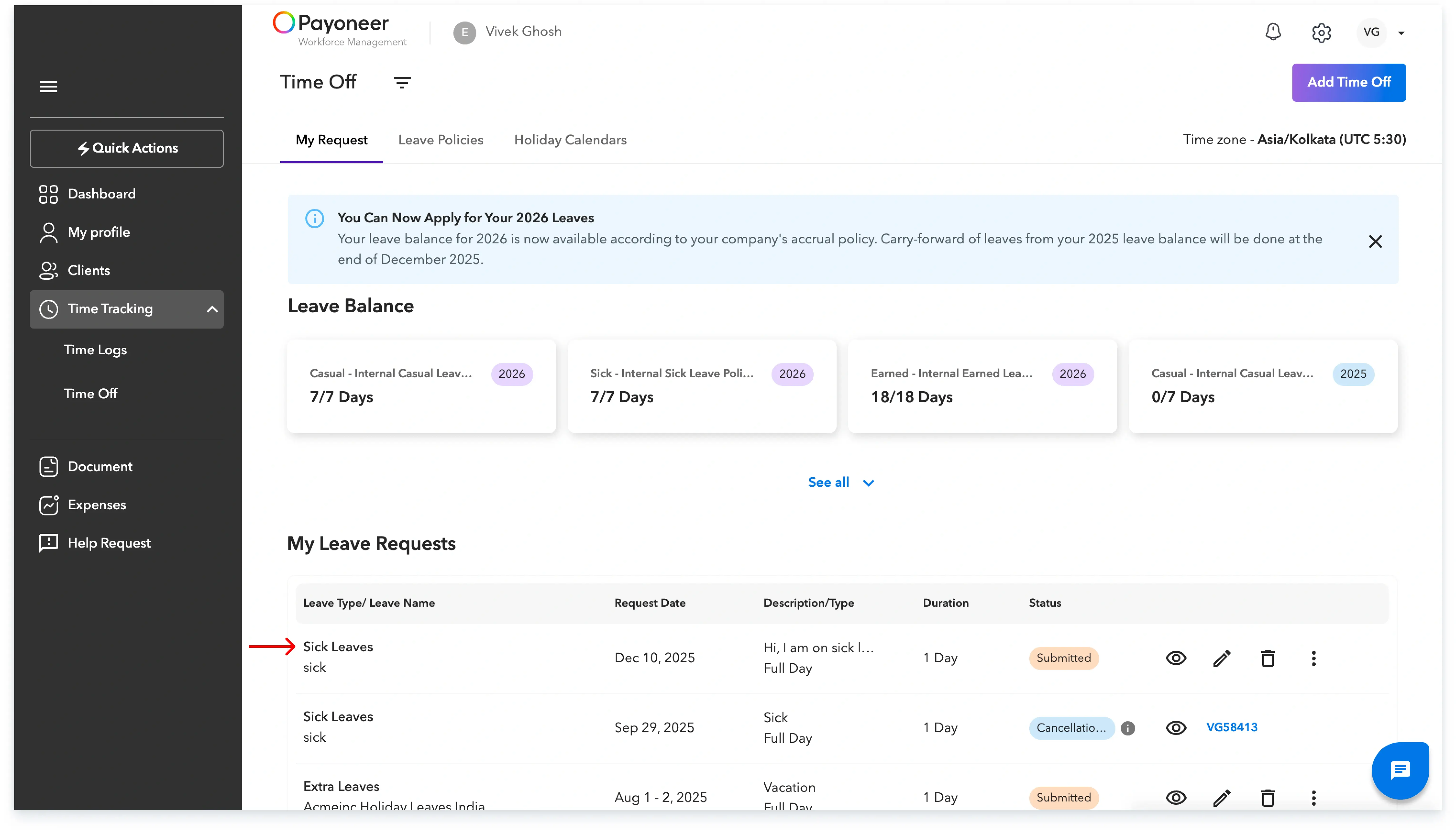
Step 3: To check the status of your applied leave, navigate to the ‘My Requests’ tab. Here, you'll find a list of leaves you've applied for along with their current status. Your leave status will be updated to either ‘Approved’ or ‘Rejected’ based on your manager's decision.
Global employment, payroll, teams and expansion, simplified.
Request demo