Employees (EOR)
Hire and pay global employees
Manage
Navigate the entire employment lifecycle
Contractors (AOR)
Hire and pay global contractors
Visa & Immigration
Get global mobility support
Shield
Stay compliant with employment laws
Background Verification
Automate candidate screening
Recruitment Solutions
Discover top global talent
Global Payroll
Run payroll in 70 currencies
Contractor Payments
Automate invoicing and payments
Tech
Employ the best tech talent
HR Teams
Simplify each step of global employment
Finance Teams
Legal Teams
Hire globally without legal setbacks
Salary Insights
Explore and benchmark salaries
Global Hiring Library
Insights for building global teams
Employee Cost Calculator
Calculate costs and taxes
Employment Laws
Learn local legal nuances
Blogs
Global HR insights
Glossary
Get to know global HR lingo
FAQs
Everything you’d want to know
About Us
Our Story
Compare Skuad
Compare EOR solutions
Case Studies
Skuad News
Latest updates & news
Help Center
Support & assistance hub
Integrations
Seamlessly connect your everyday tools
Everything you'd want to know
How we help companies like yours
Luxembourg
Germany
Poland
Hong Kong
India
Singapore
Brazil
Canada
Colombia
Nigeria
South Africa
Turkey
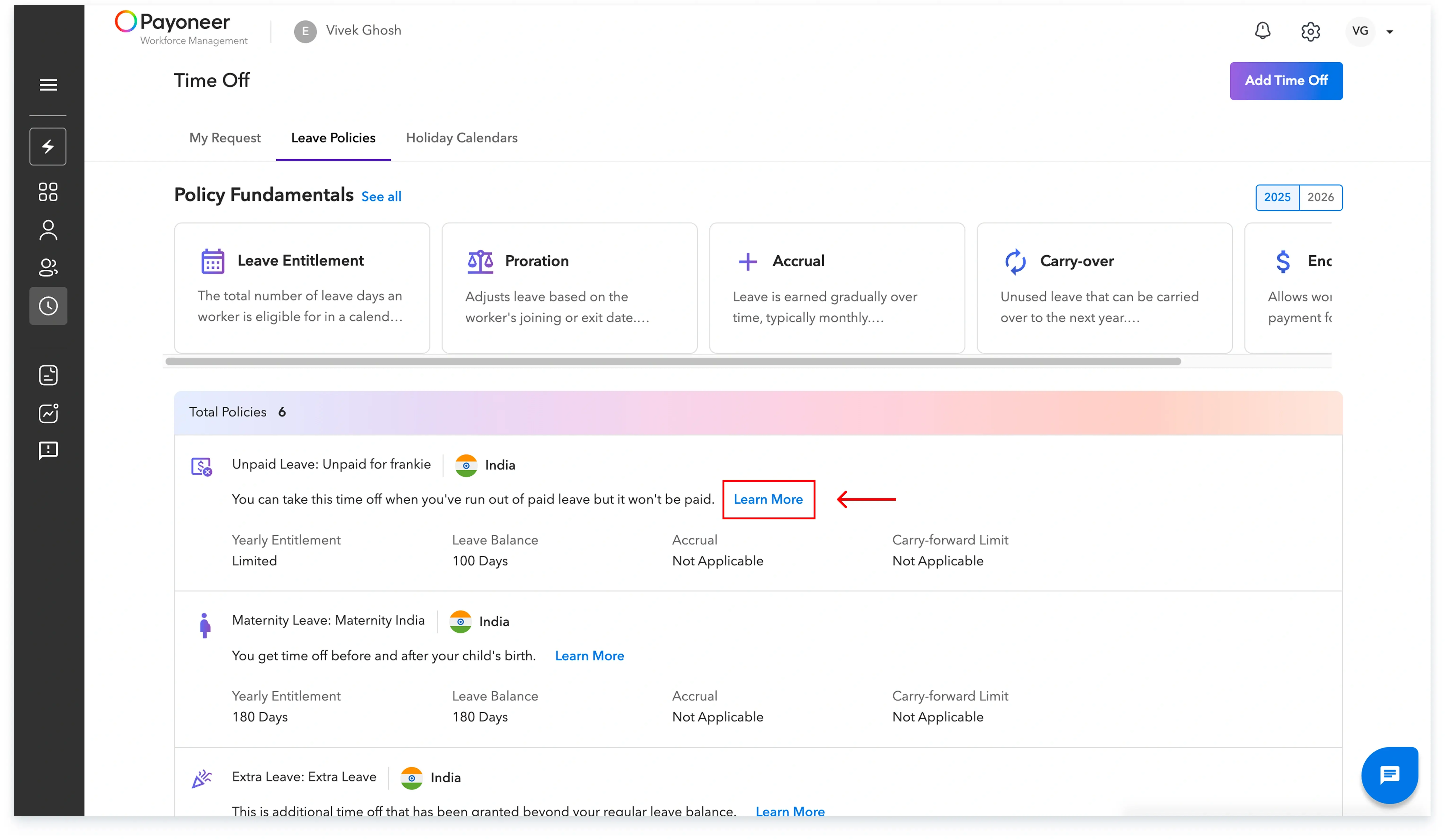
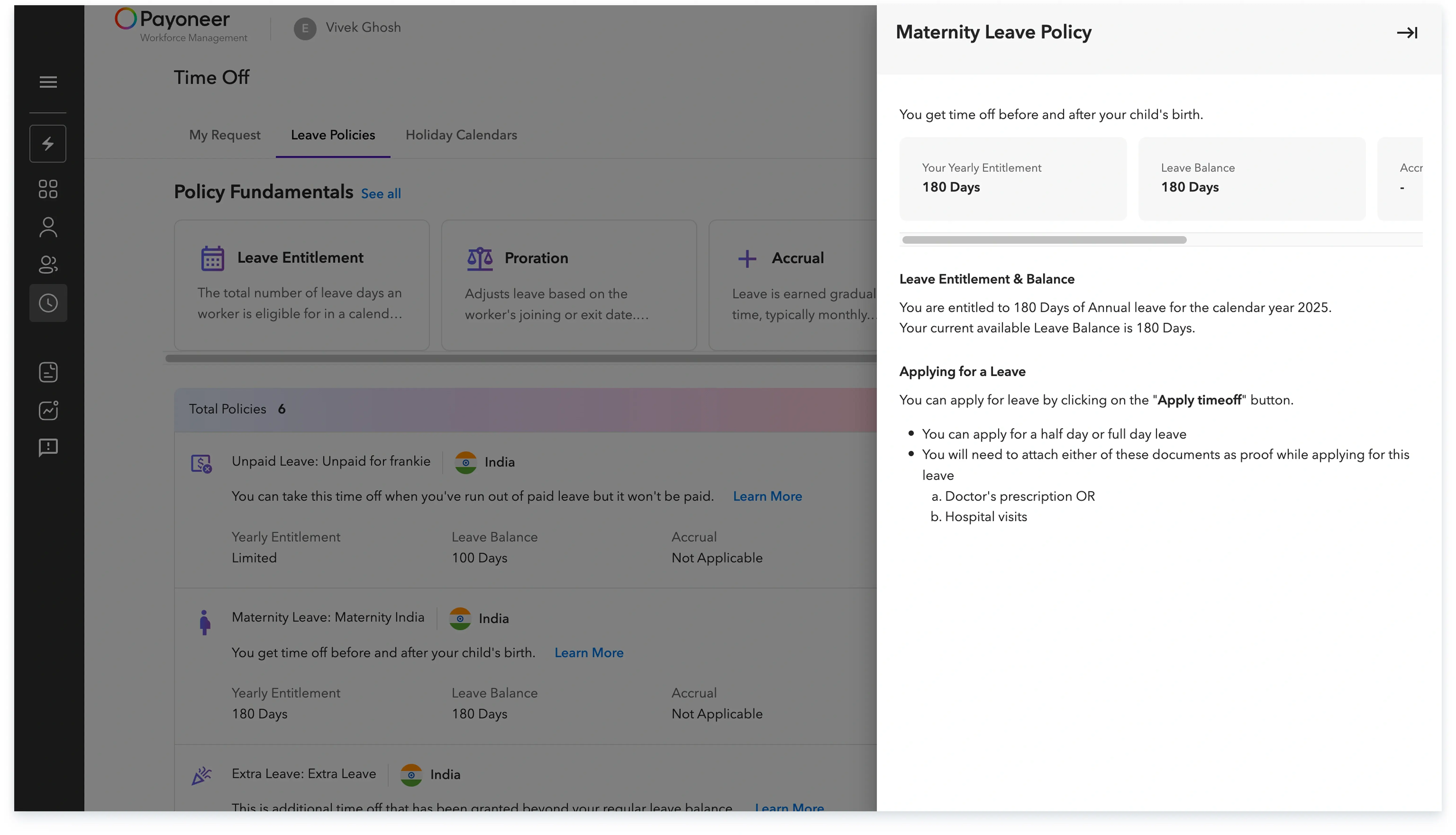
Use the Leave Policy view in the Time Off section.
Steps
Time Off page with a visible Policy link/tab.
Policy view showing entitlement and accrual rules.
Global employment, payroll, teams and expansion, simplified.