
You can easily access and review all of your account activity and updates within the Payoneer WFM dashboard.
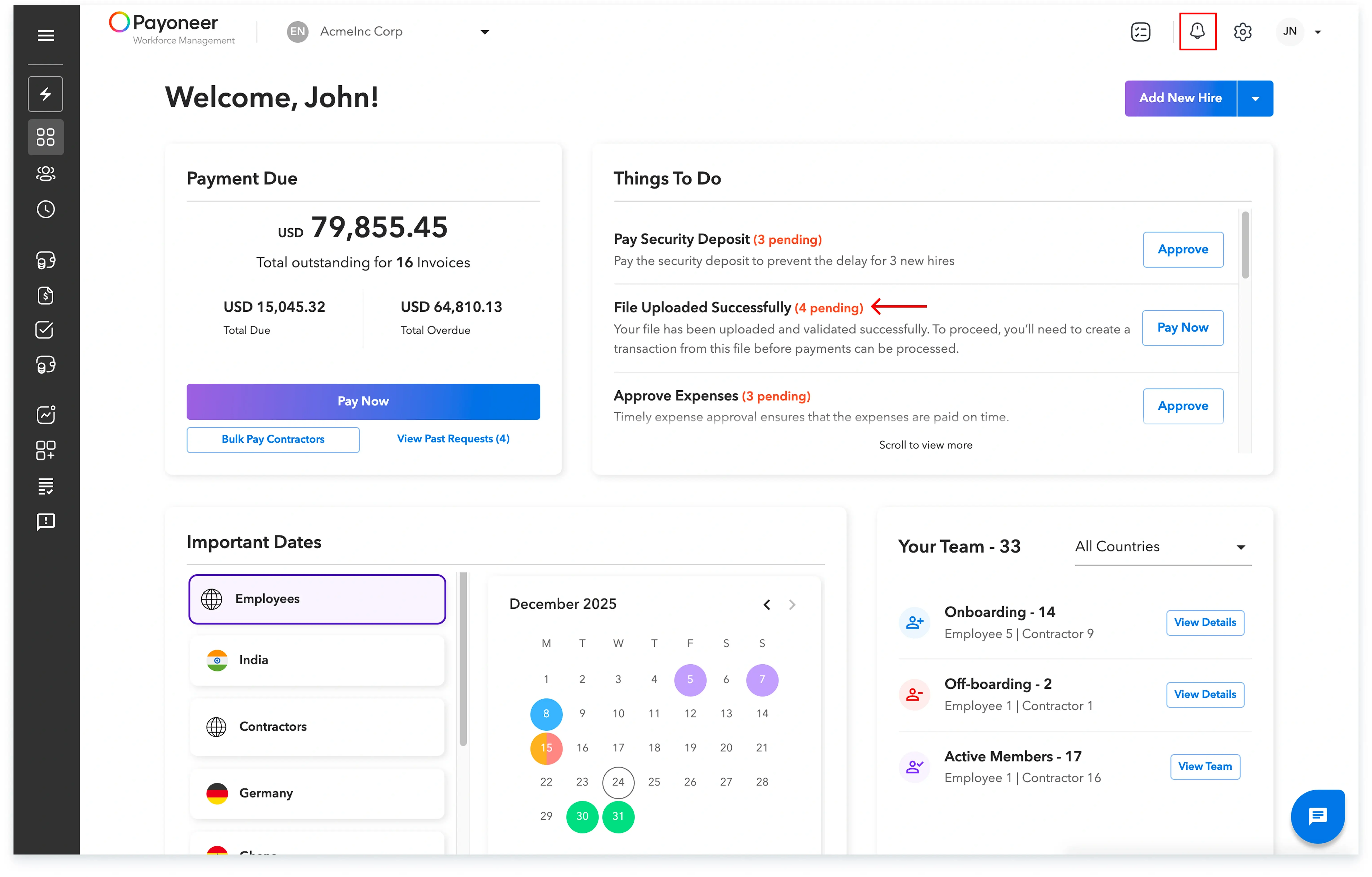
Step 1: Log into the Payoneer WFM’s dashboard using your credentials. Locate and select the bell icon situated on the top right side of the dashboard interface.
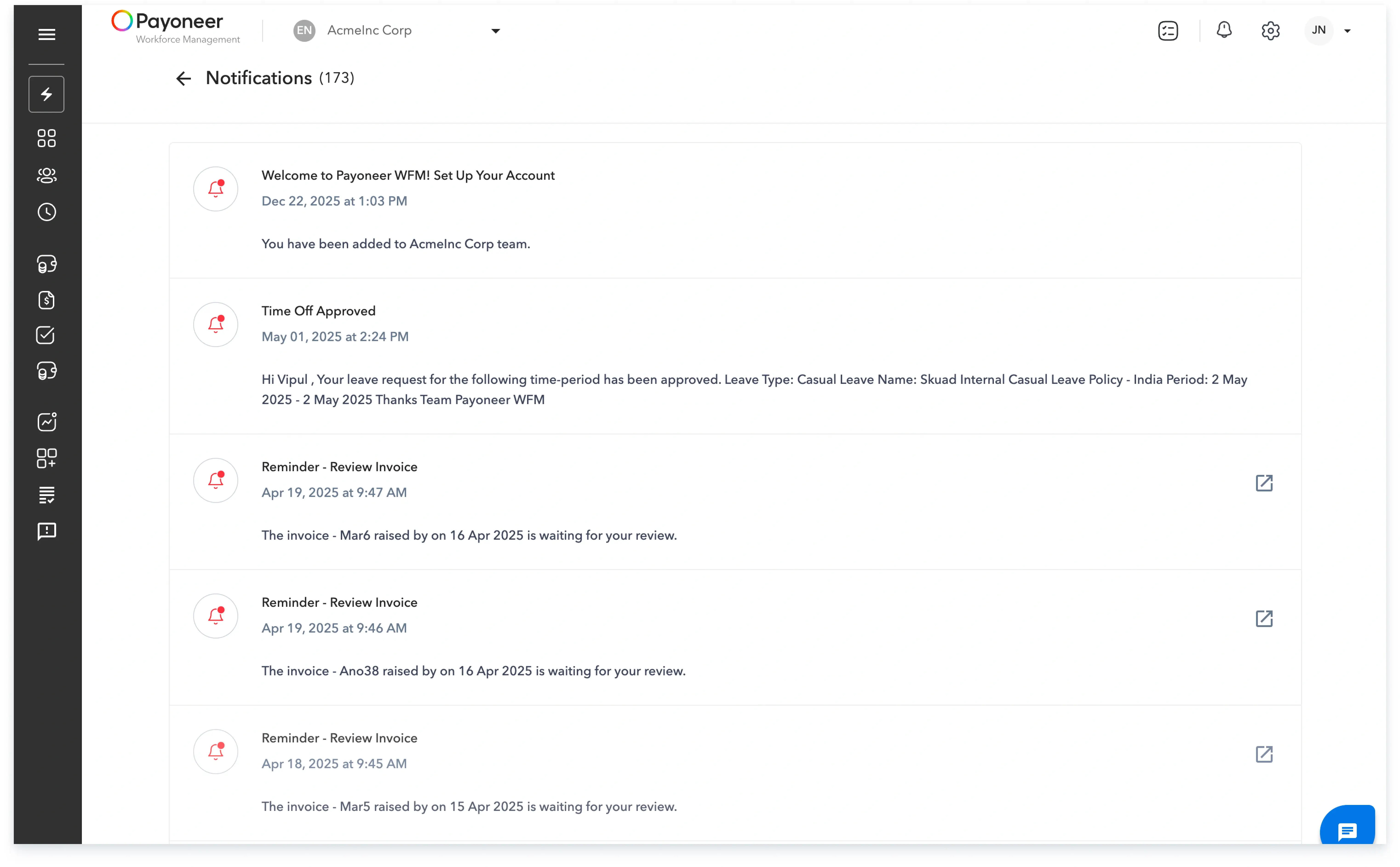
Step 2: Once clicked, a dedicated section will open where you can view and read all specific notifications related to payroll, invoices, expenses, time off, and any other relevant updates.
Global employment, payroll, teams and expansion, simplified.
Request demo