
2 factor Authentication is important for keeping your account safe.
Step-1
Either click on account settings or on set up now
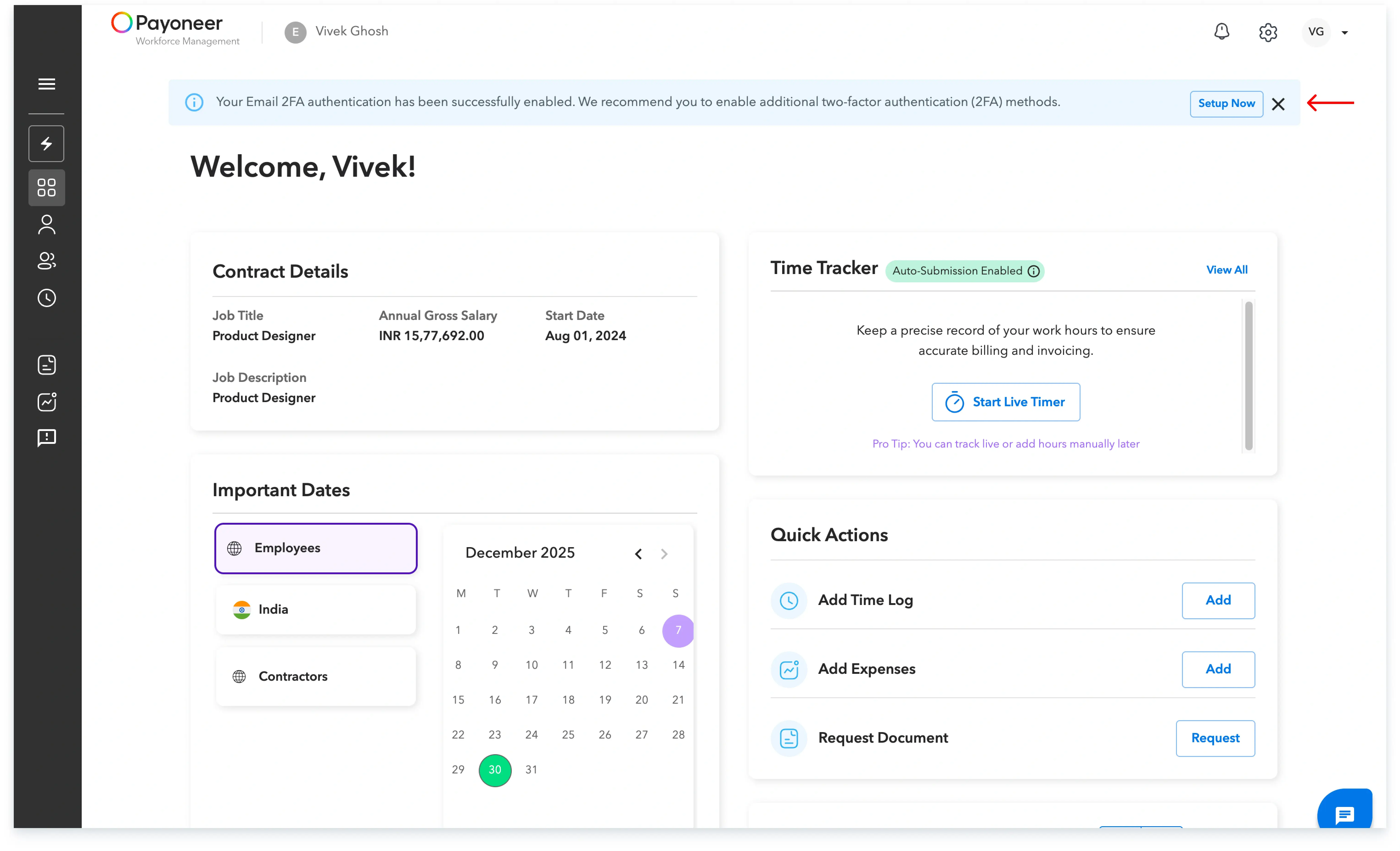
Step-2
Set-up 2 Factor Authentication via adding the other steps which are available
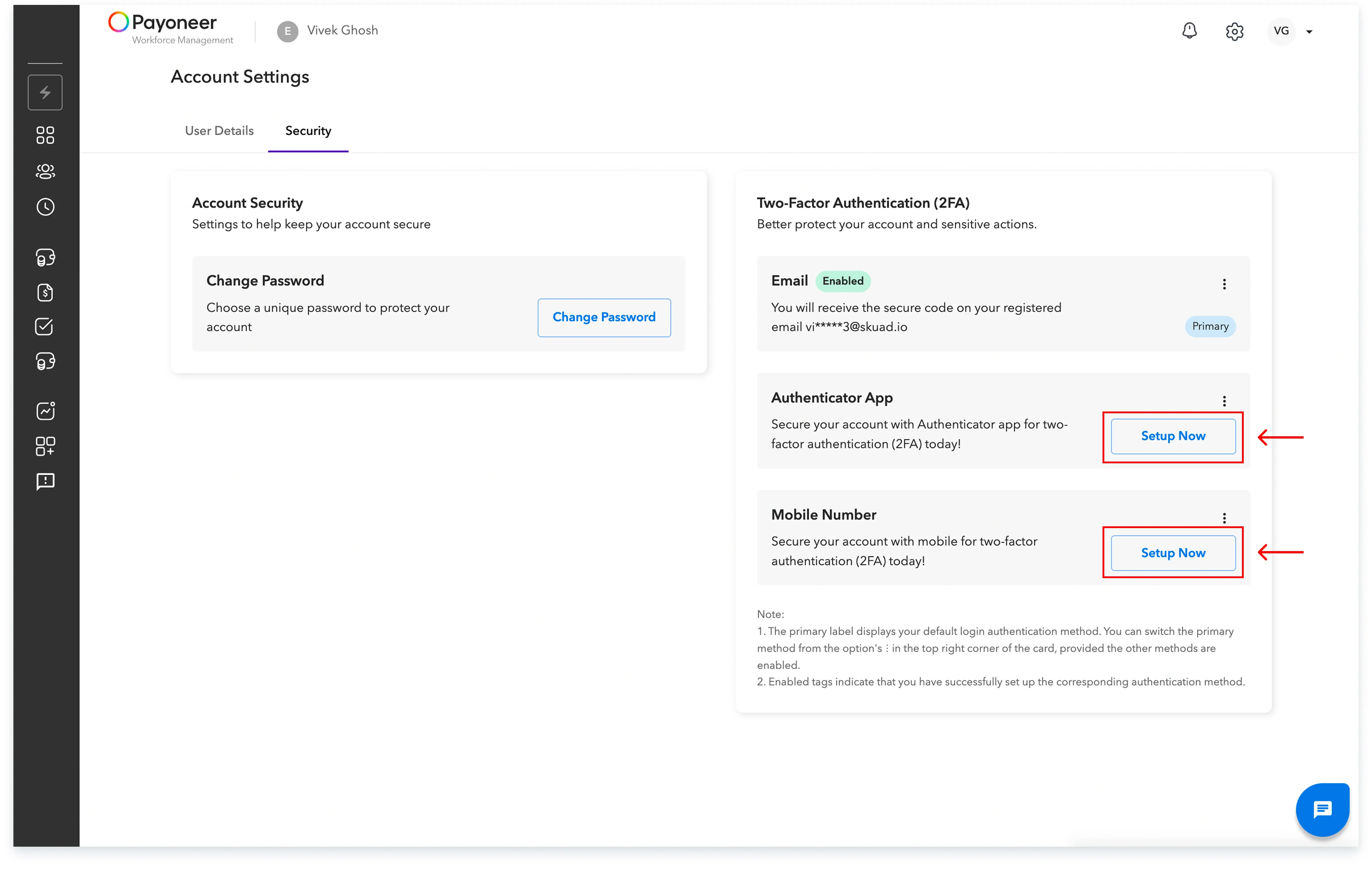
Step-3
Click on set up for authenticator app and enter the code received in yourn your email
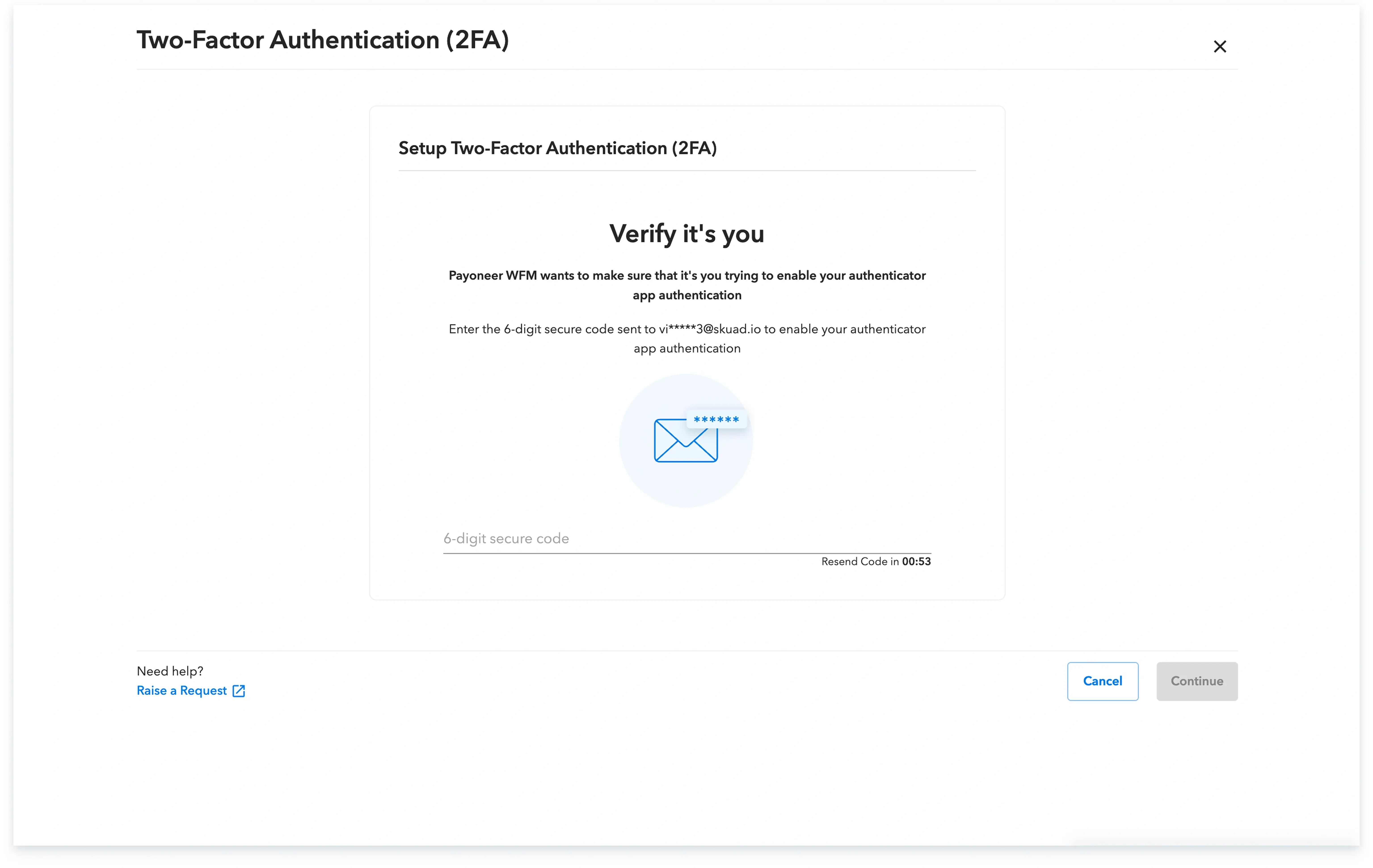
Download the authenticator Mobile app and scan the QR code displayed
Step-4
Setup 2FA via entering the code sent on your mobile number
Global employment, payroll, teams and expansion, simplified.
Request demo