
You can easily adjust the start date for a contractor within the Payoneer WFM platform, provided the contract is not yet active. Once a contract is active, the start date cannot be modified.
Step 1: Log in to the Payoneer WFM platform and Navigate to the ‘People’ section
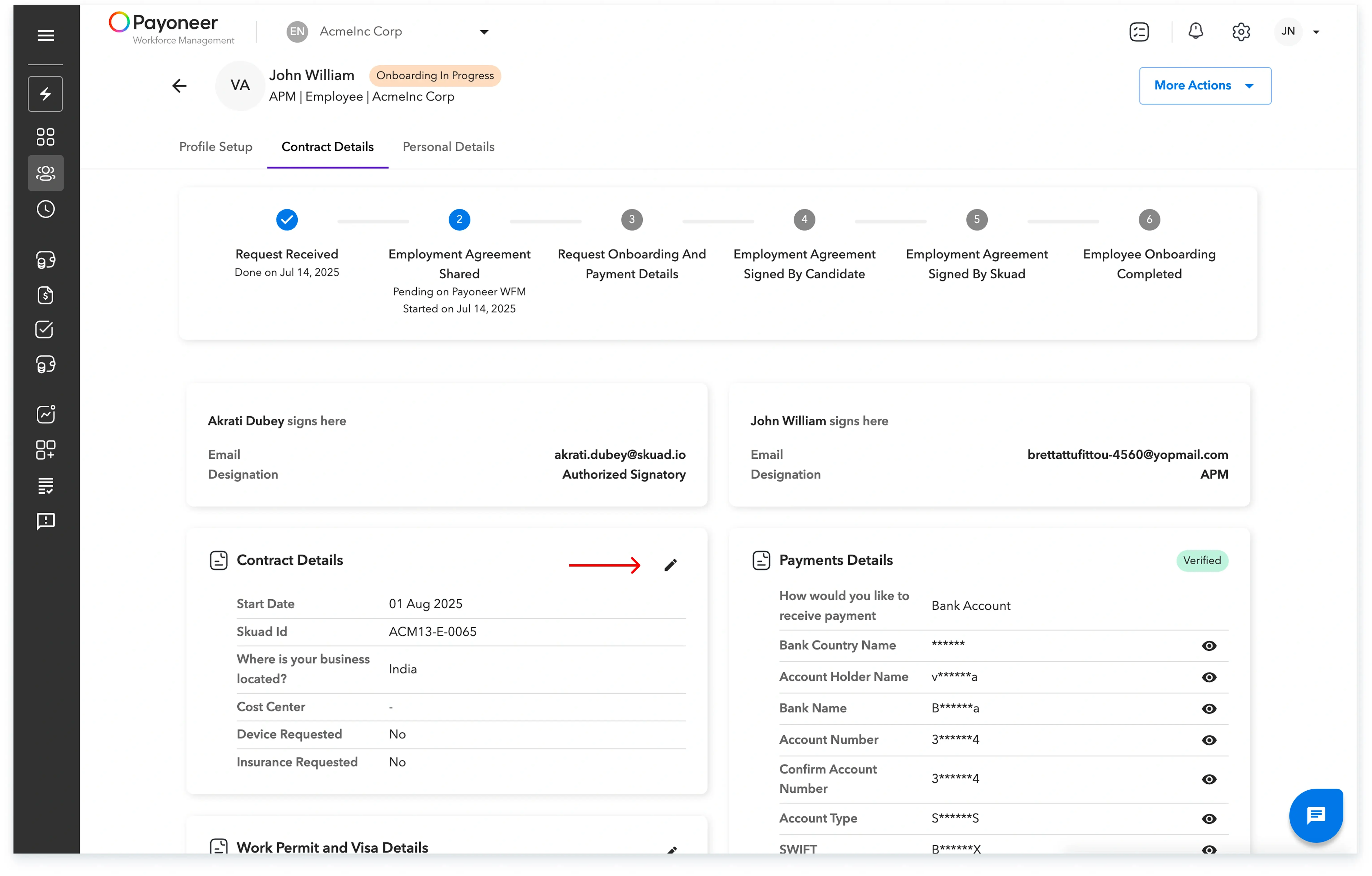
Step-2: Open the profile of the contractor for whom you wish to modify the start date. Click on the ‘Pencil’ icon to edit the contract details.
Step 3: On the page you are directed to, you will be able to modify the start date to the new desired date.
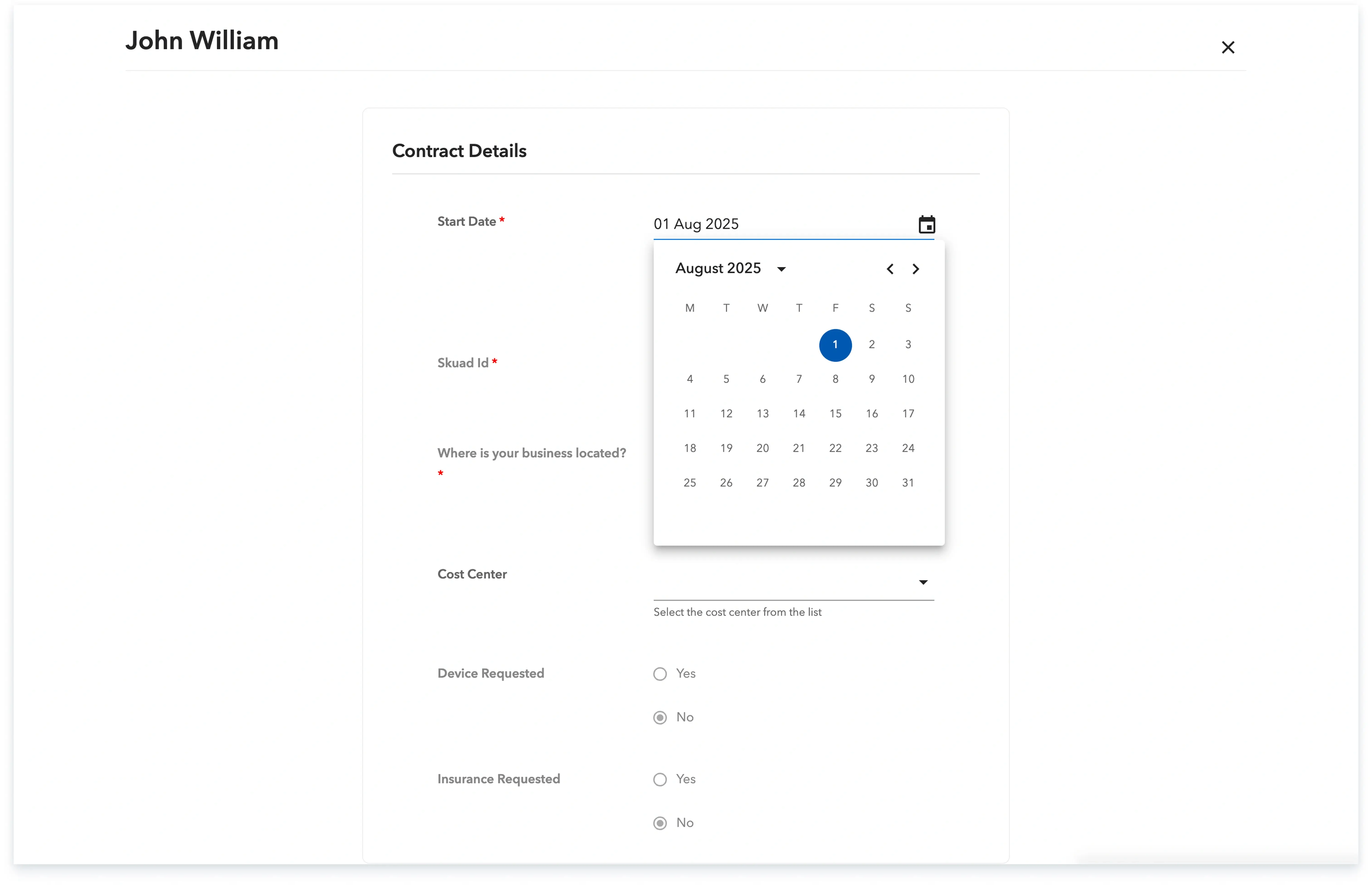
Upon completing these steps, the updated contractor agreement with the revised start date will be automatically sent to your contractor for signing.
Global employment, payroll, teams and expansion, simplified.
Request demo