
You can easily submit a request for custom amendments to an employee agreement during the employee onboarding process.
Step 1:
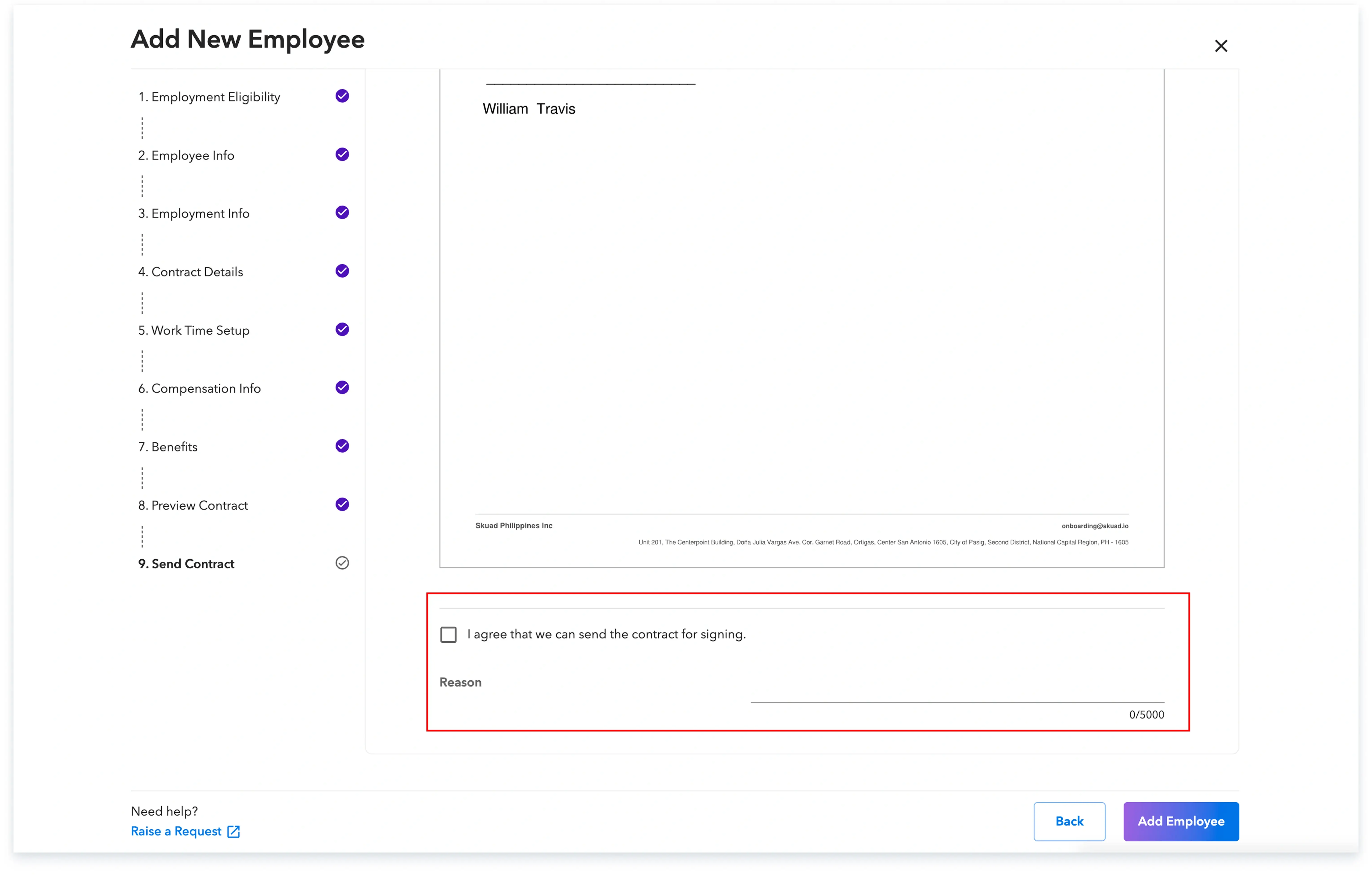
Log in to the Payoneer WFM platform. Proceed with adding the employee and view the agreement. Once you see the agreement, de-select the ‘I agree’ checkbox.
In the provided ‘Reason’ section, clearly state the specific changes you require for the agreement.
Step 2: Our in-house legal team will thoroughly review the changes you have requested and then provide you with the final agreement draft.
Step 3: After you have reviewed and agreed upon the changes, Payoneer WFM will send the finalized employment contract directly to your employee for their signature.
By following these specific steps, you ensure that your employee agreement meets your exact requirements before the final signing.
Global employment, payroll, teams and expansion, simplified.
Request demo