Help Center
Time Off employee
Existing Time Off

Table of Content

Carrot icon
No items found.

How can I see the status of my leave requests?

Open Time Off / Leave → My Requests / Leave History to see if requests are pending, approved, rejected, or cancelled.

Steps

  1. Go to Time Off / Leave.
  2. Click My Requests or Leave History.
  3. Review the Status column for each request.
  4. Click a request to see more details and any comments.

My Requests / Leave History list with the Status column visible.
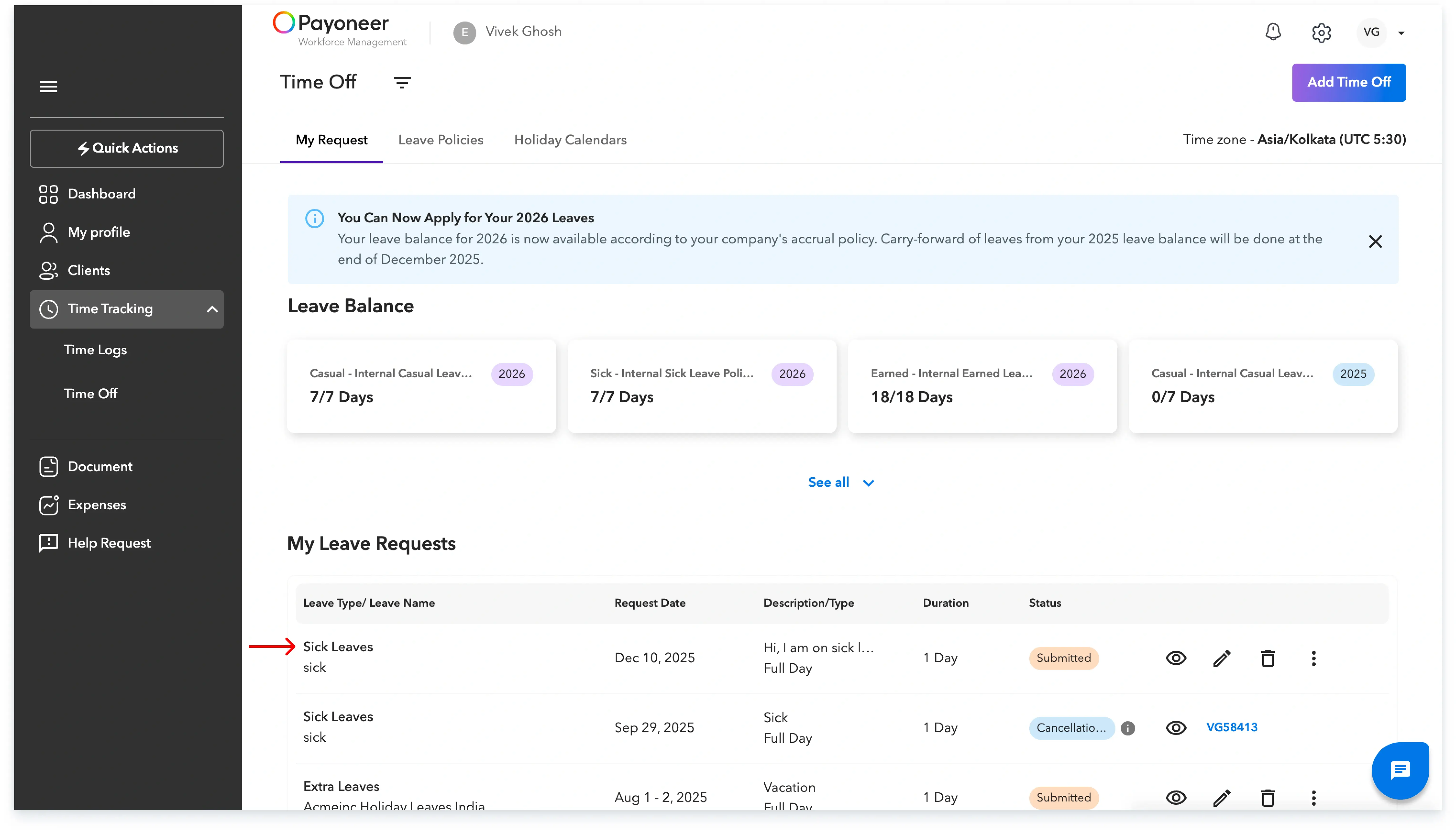
My Requests / Leave History

Leave request detail view showing status and approver comments.
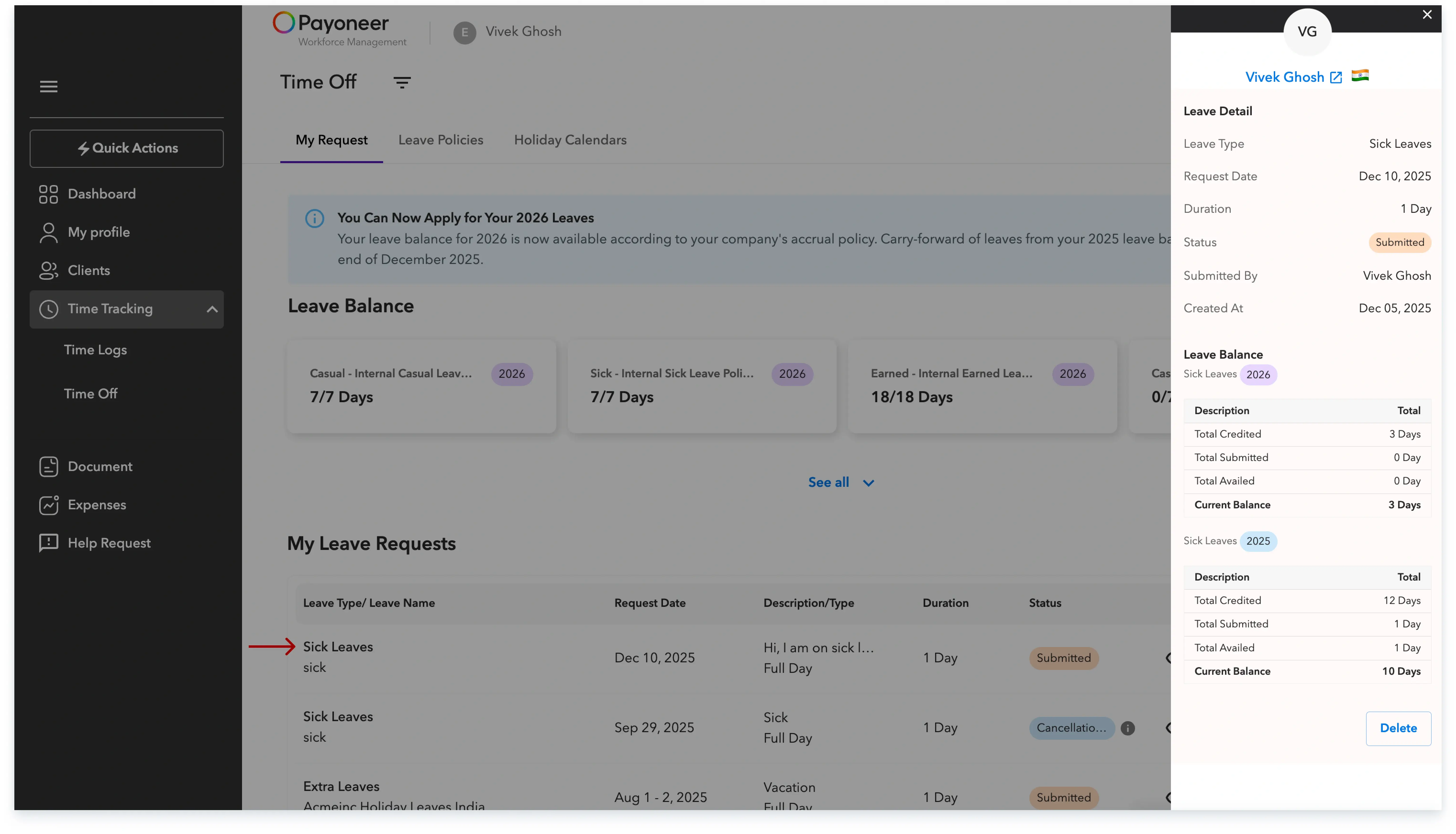
Leave request detail view

Skuad is the best solution to hire and expand globally.

Global employment, payroll, teams and expansion, simplified.

Request demo