Help Center
Time Off employee
Existing Time Off

Table of Content

Carrot icon
No items found.

How do I edit a leave request I already submitted?

Edit is usually allowed while the request is still Pending. Open it from My Requests, change details, and re-submit.

Steps

  1. Go to Time Off / Leave → My Requests / Leave History.
  2. Find the Pending request and open it.
  3. Click Edit (if available).
  4. Update the dates, leave type, duration, or reason.
  5. Click Save / Submit.

My Requests list with a pending request selected.
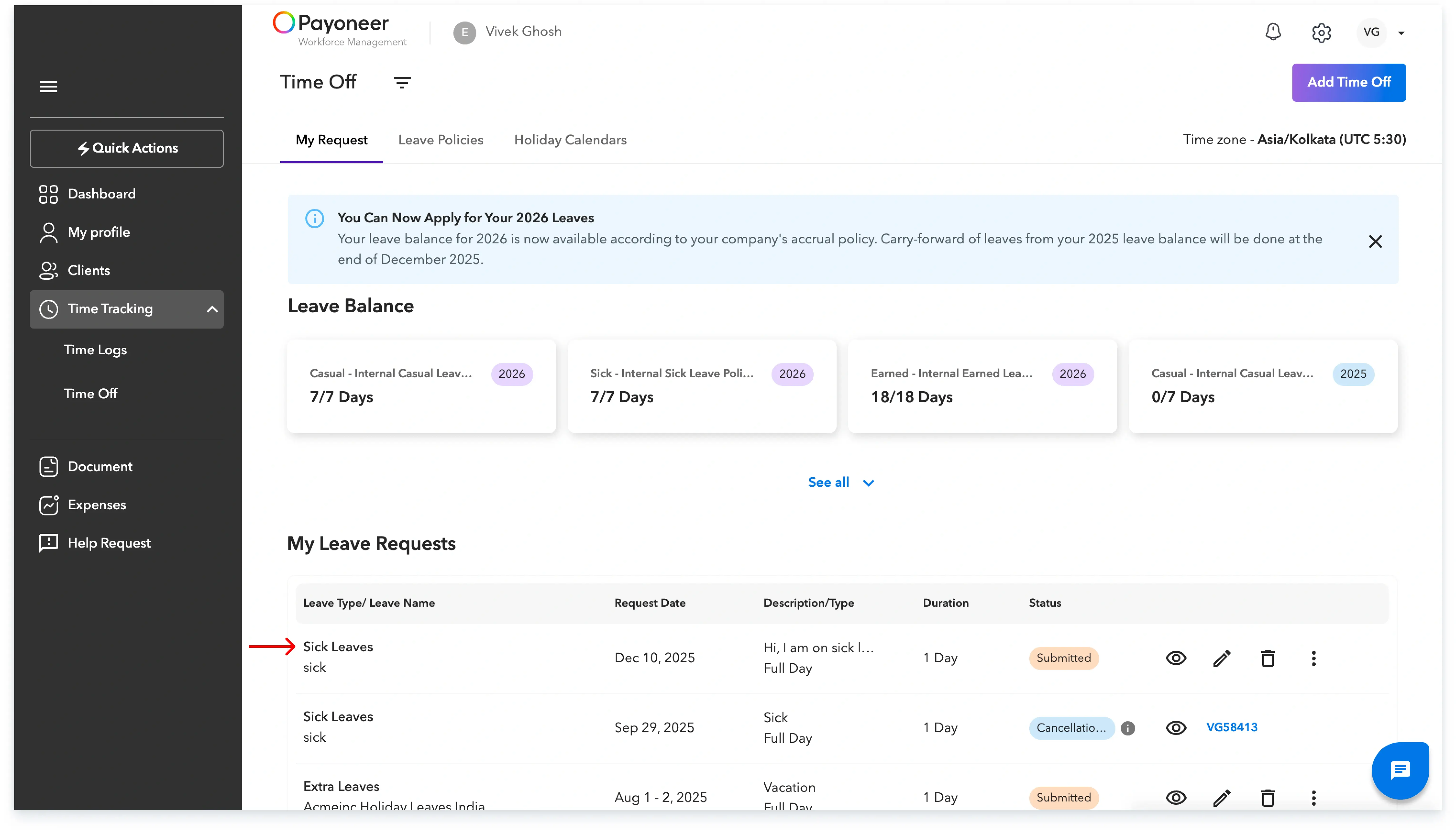
My Requests

Leave request detail with an Edit button visible.
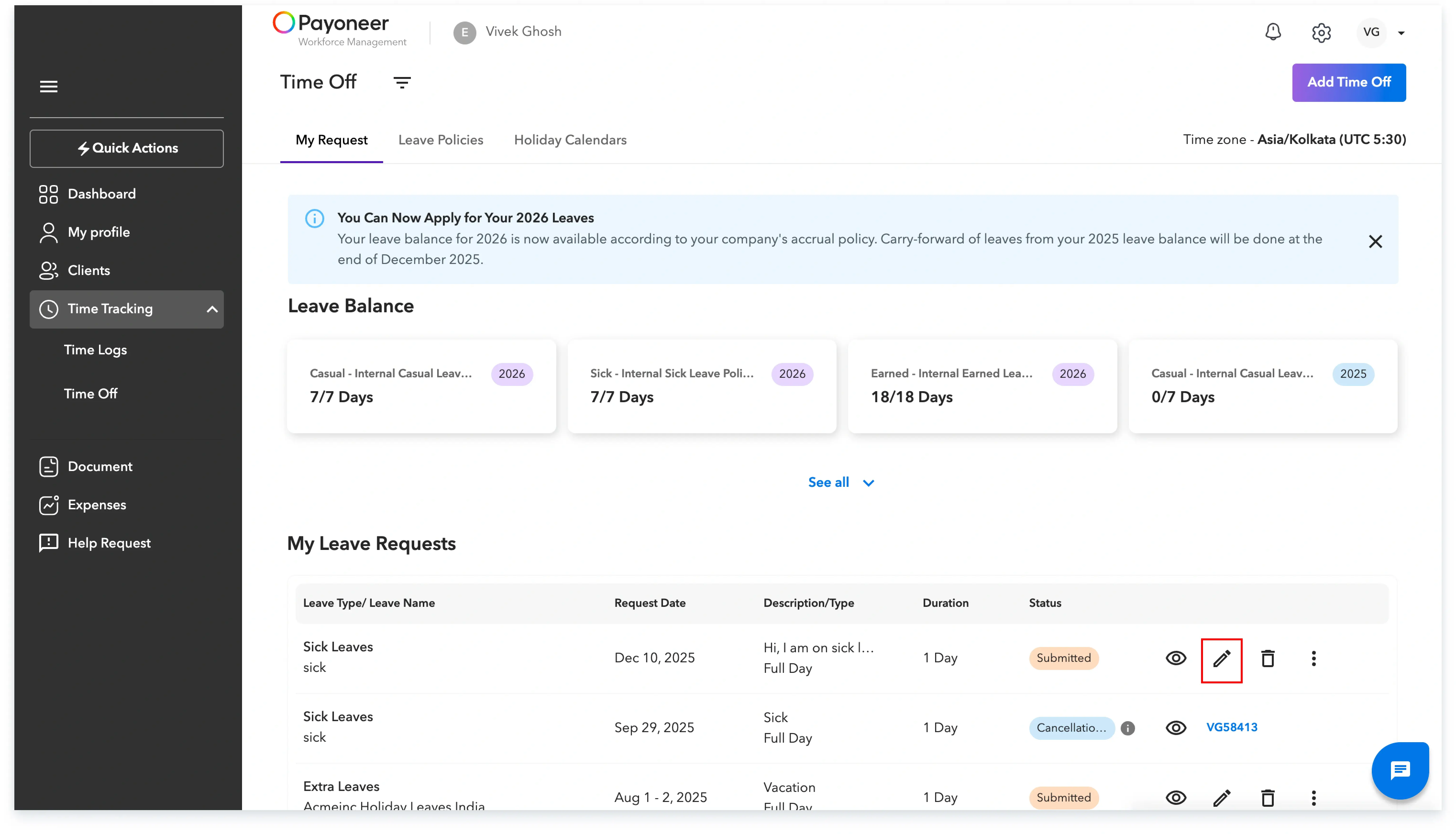
Leave request detail

Edited leave form showing changed dates/reason.
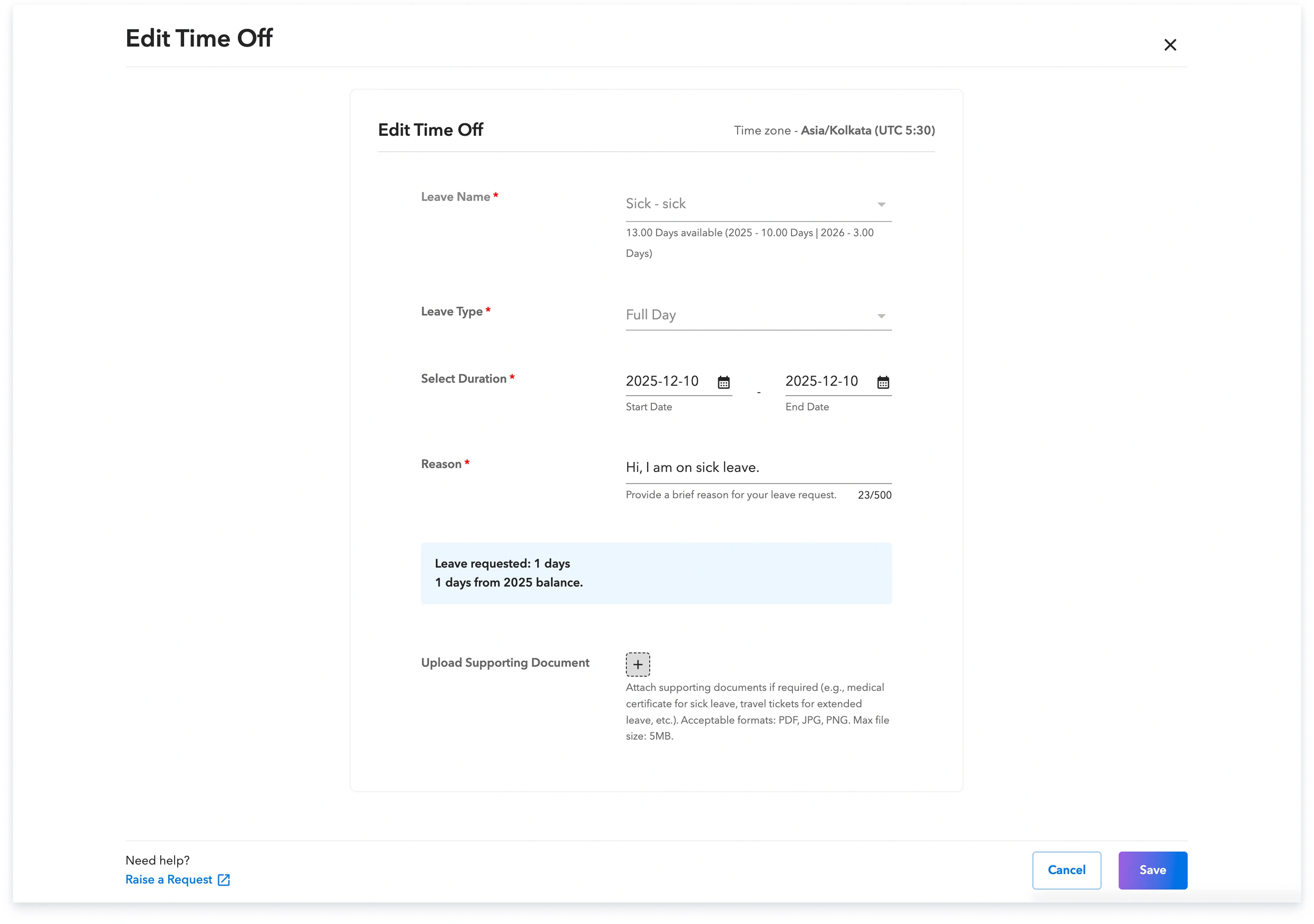
Edited leave

Skuad is the best solution to hire and expand globally.

Global employment, payroll, teams and expansion, simplified.

Request demo