
The Add & Onboard Full-Time Employee feature provides a seamless process to bring new employees into your organization using Payoneer WFM, allowing you to capture all necessary details, upload compliance documents, and assign appropriate policies and payroll structure.
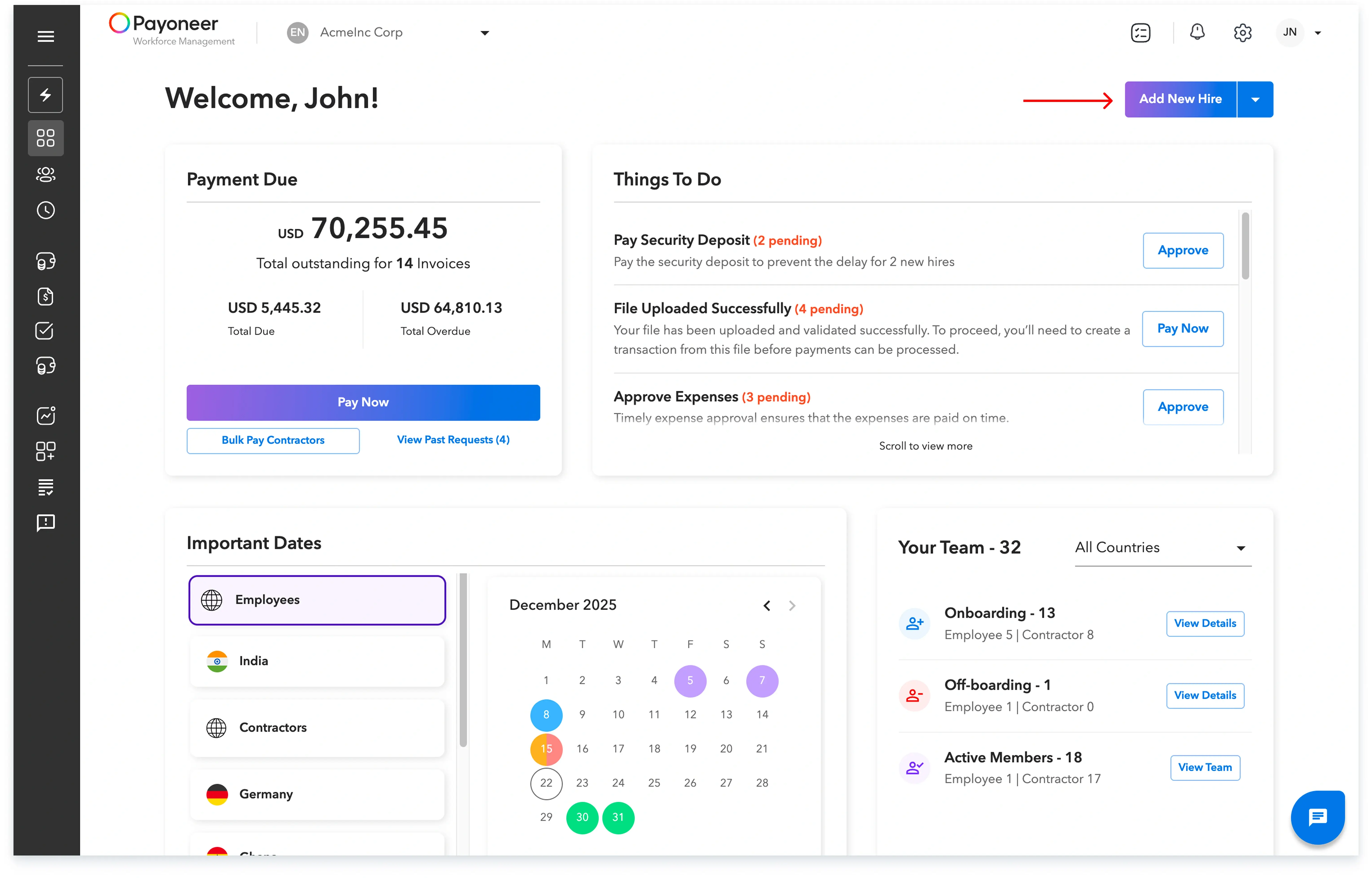
Step 1: Log in to the Platform and click on the ‘Add New Hire’ button.
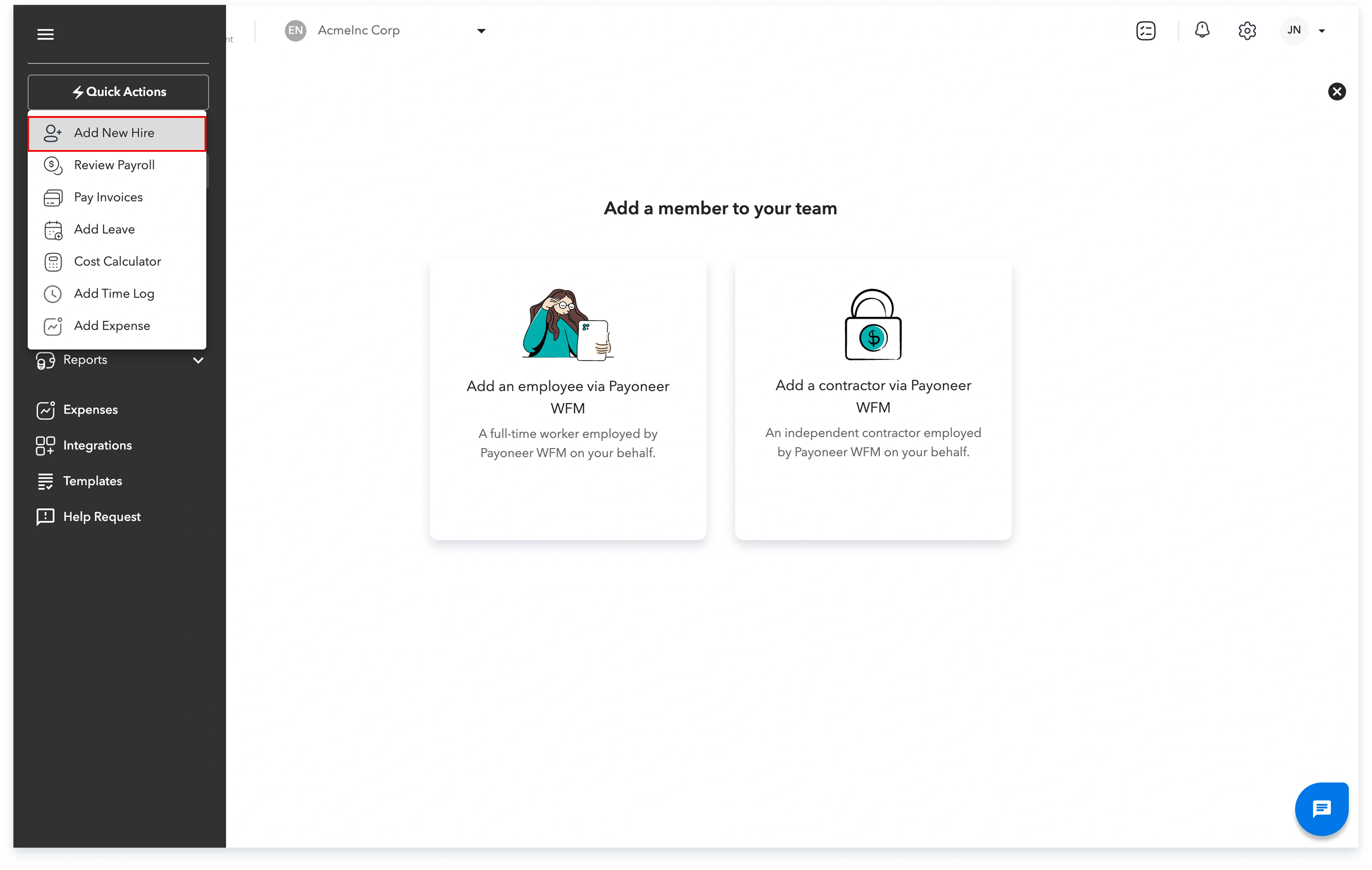
As an alternative, you can use the ‘Quick Action’ menu and click ‘Add New Hire’.
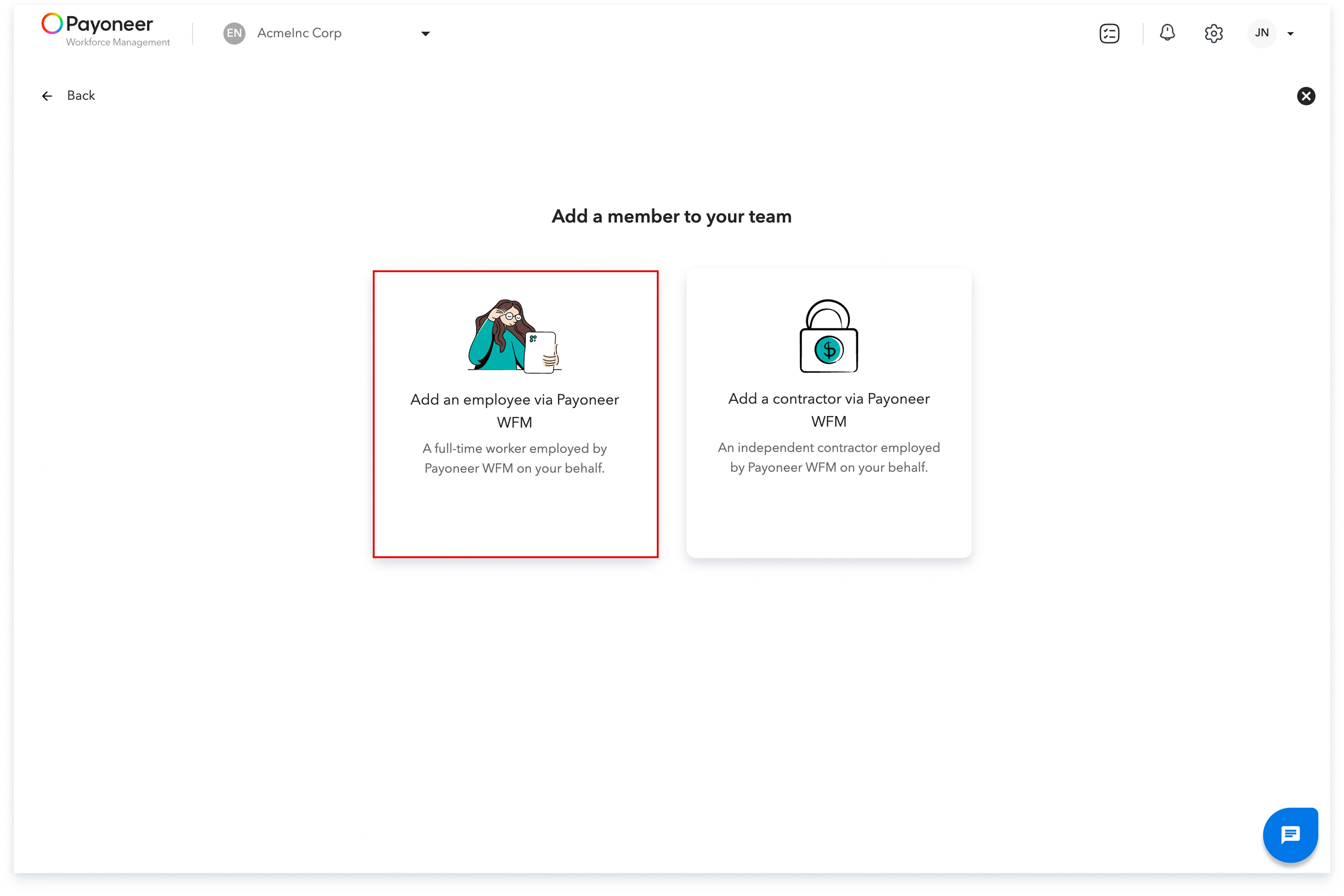
Step 2: Select the option ‘Add an employee via Payoneer WFM’.
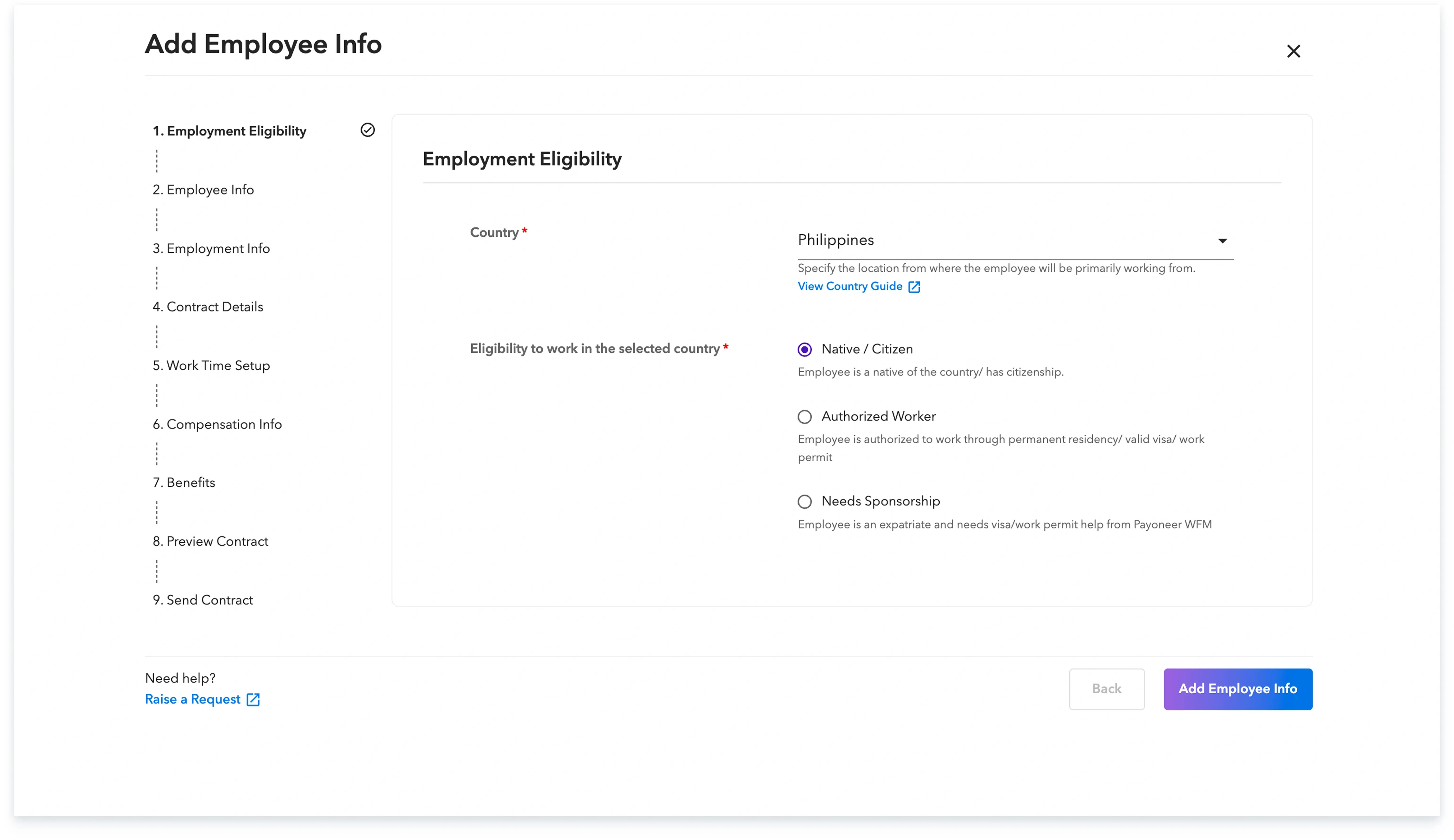
Step 3: Specify the new employee’s primary work location and confirm their eligibility to work in that specific location.
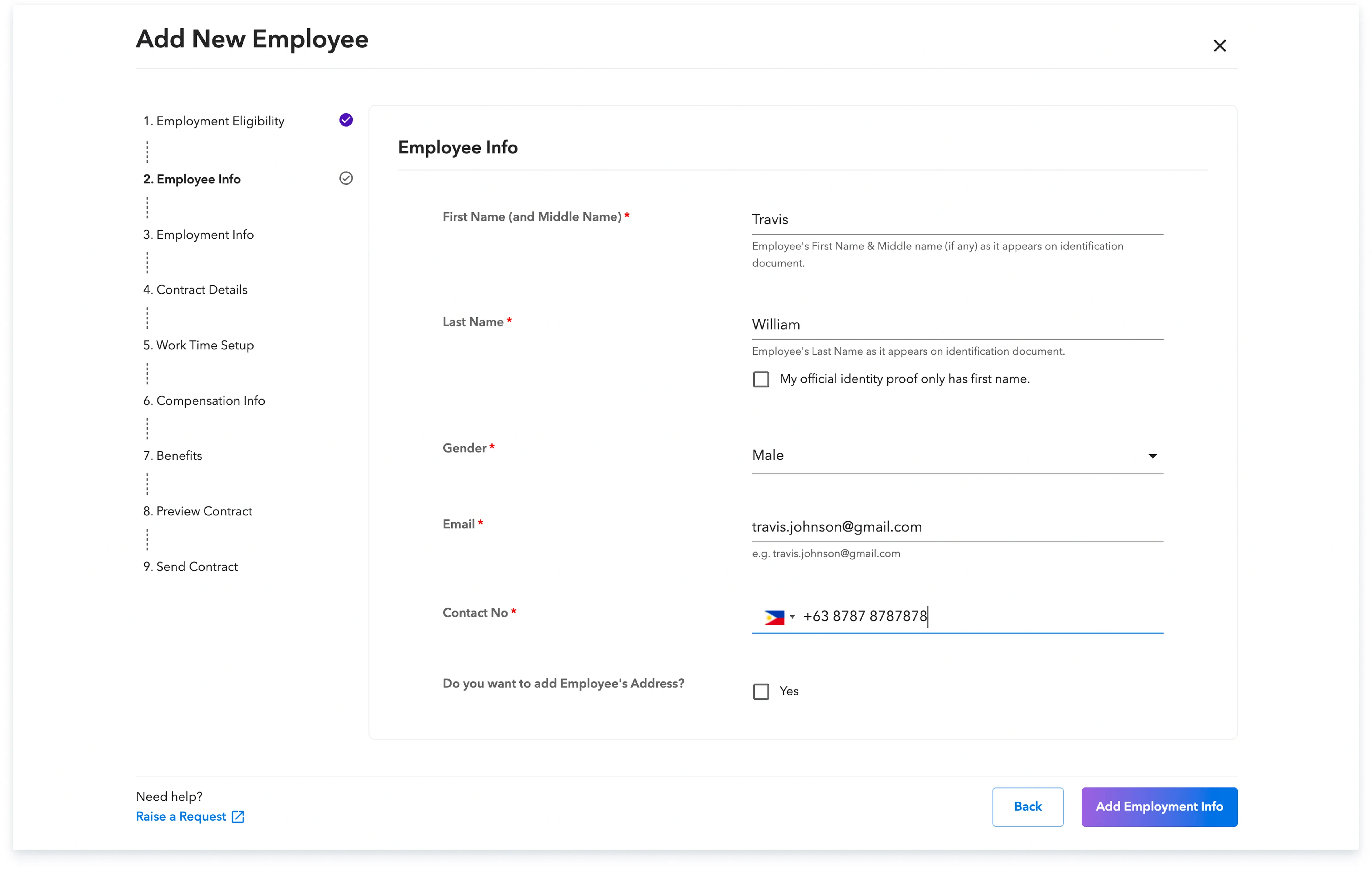
Step 4: Fill in the employee's personal details. These details must accurately match the employee’s official personal documents.
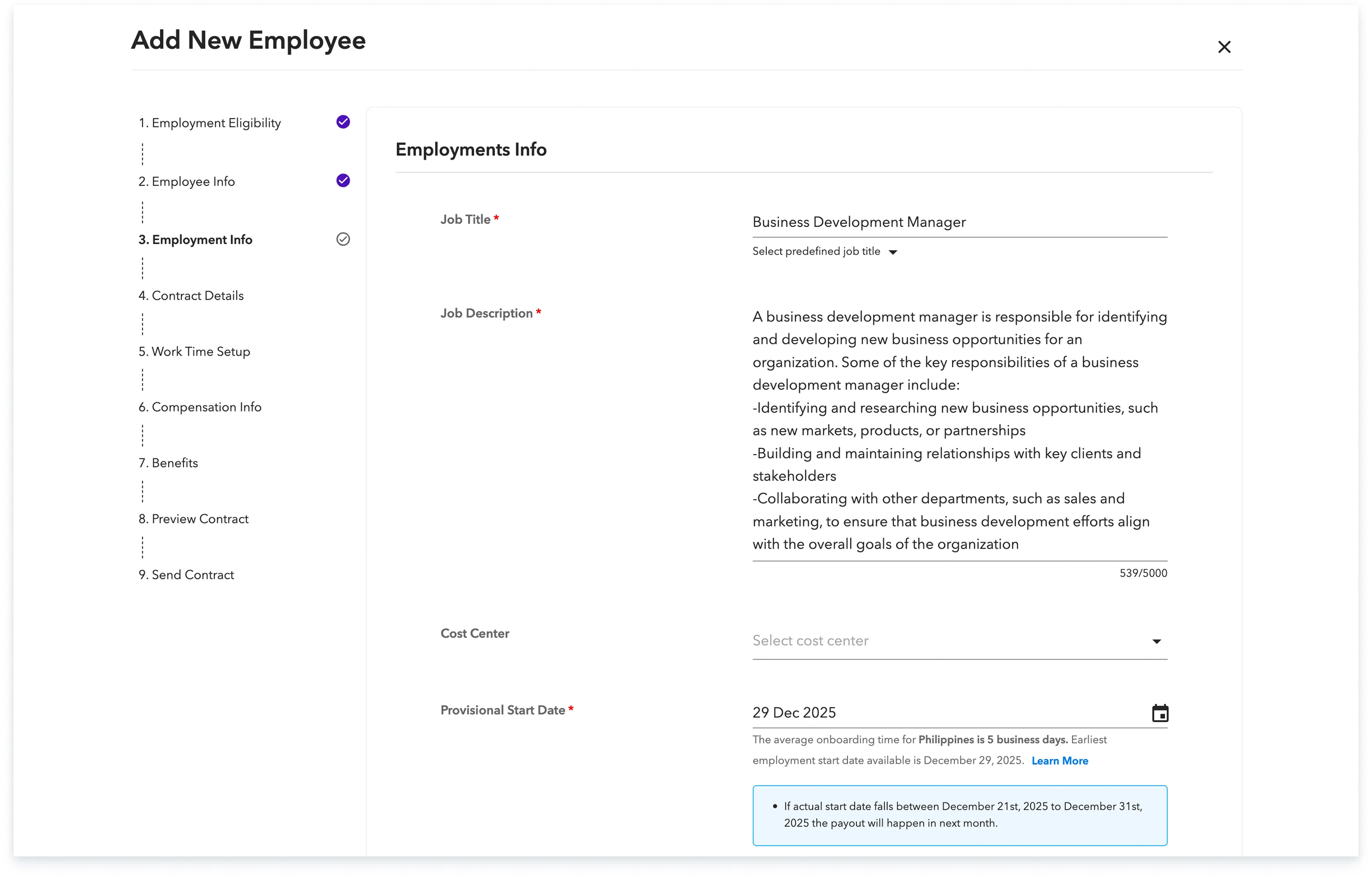
Step 5: Add the required employment information, including the job title, a job description,the provisional start date and the details of approval and reporting manager
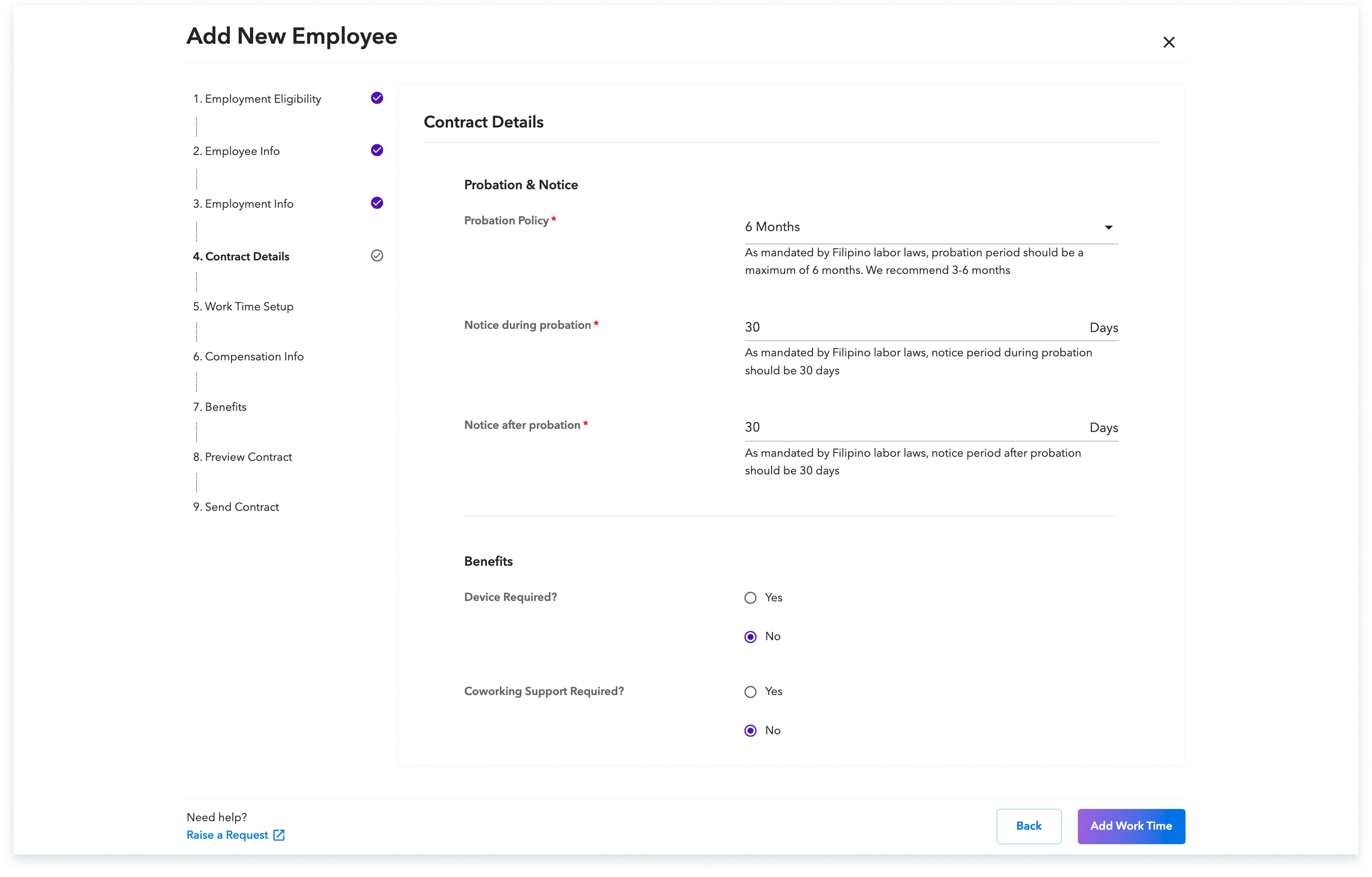
Step 6: Enter the contract details, such as the probation policy you will offer to the employee
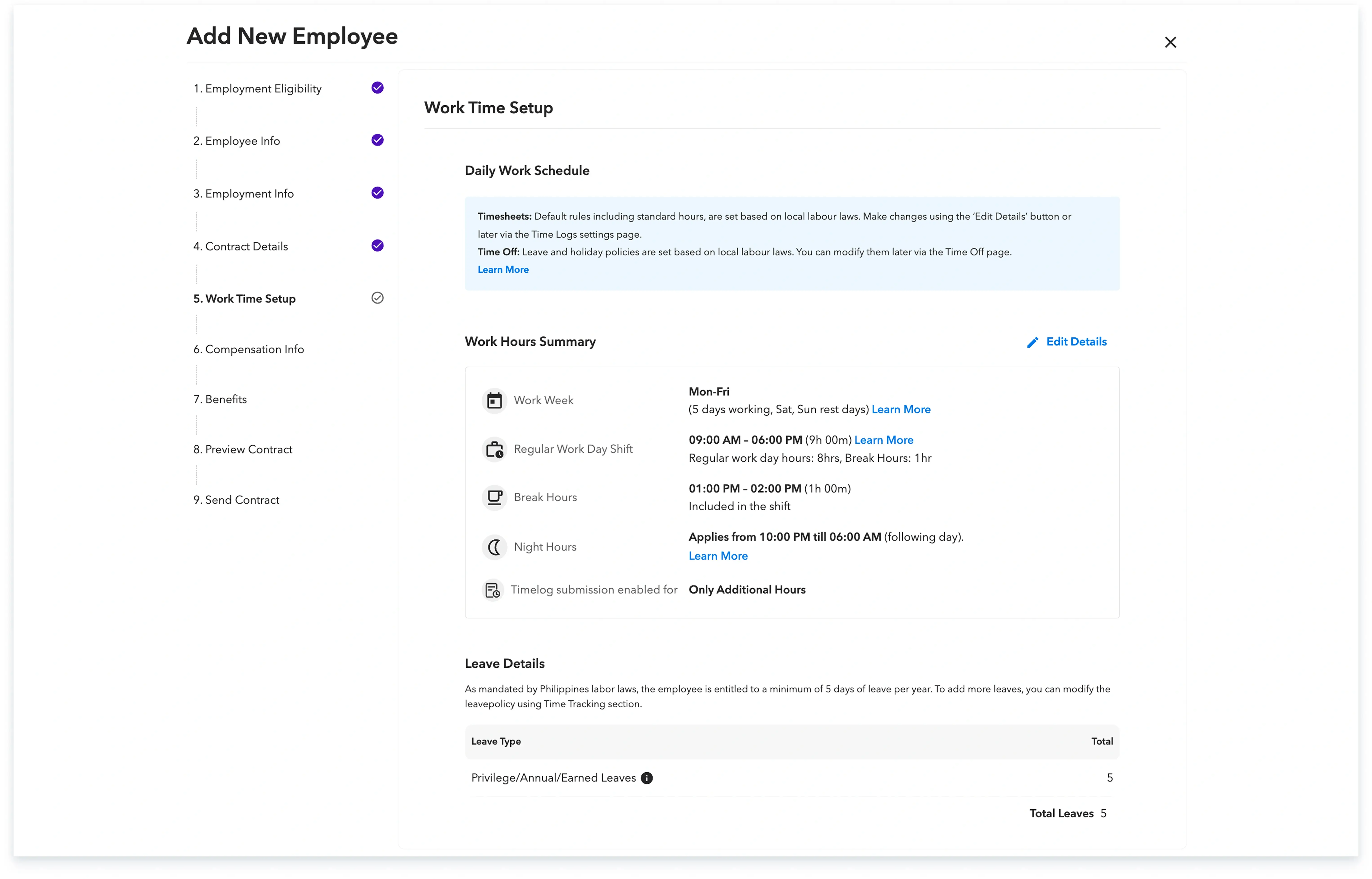
Step-7: Enter the work time details for the new hire.
Step 8:
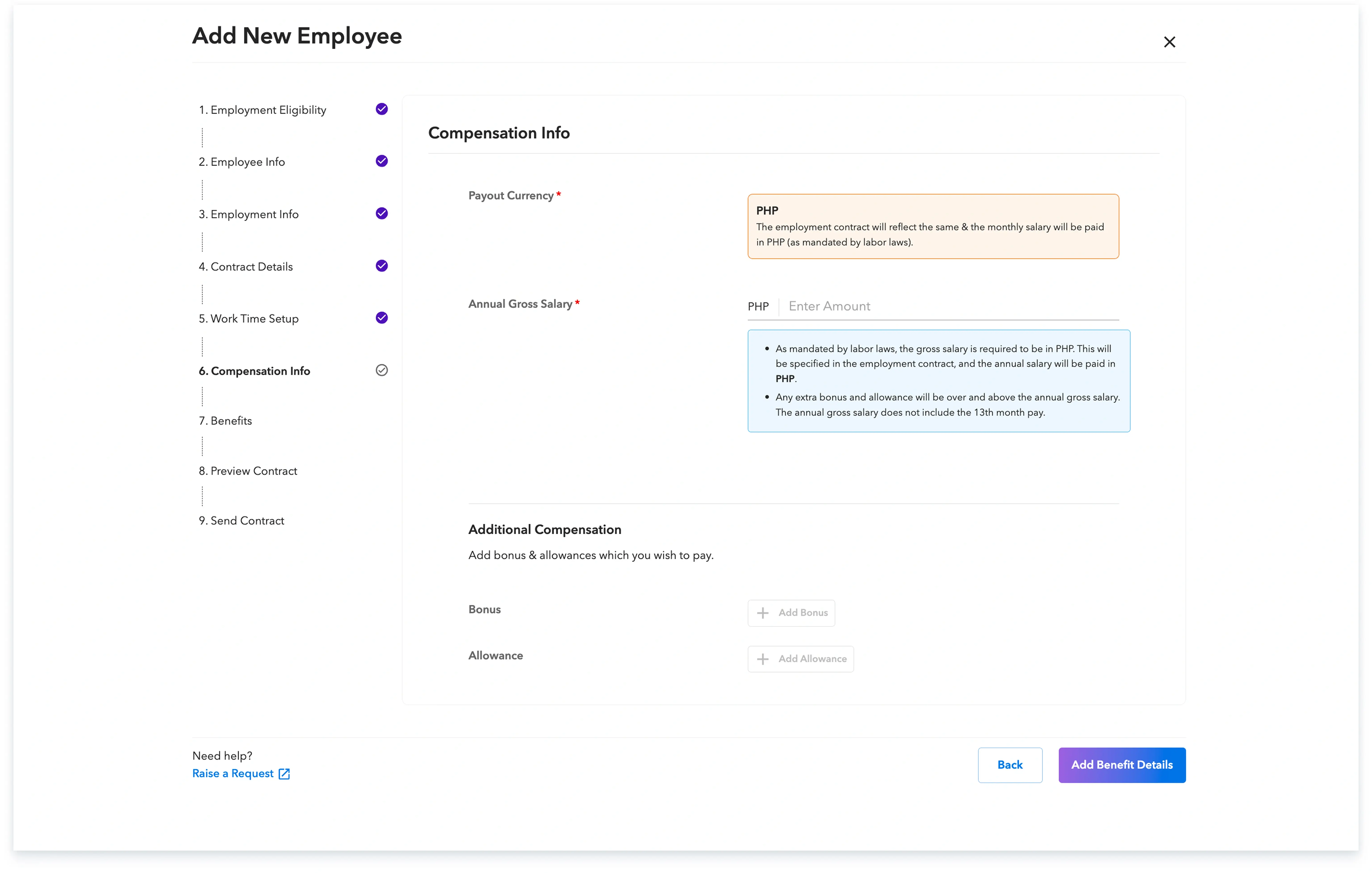
a) Add the compensation information, which can include additional bonuses and allowances if applicable.
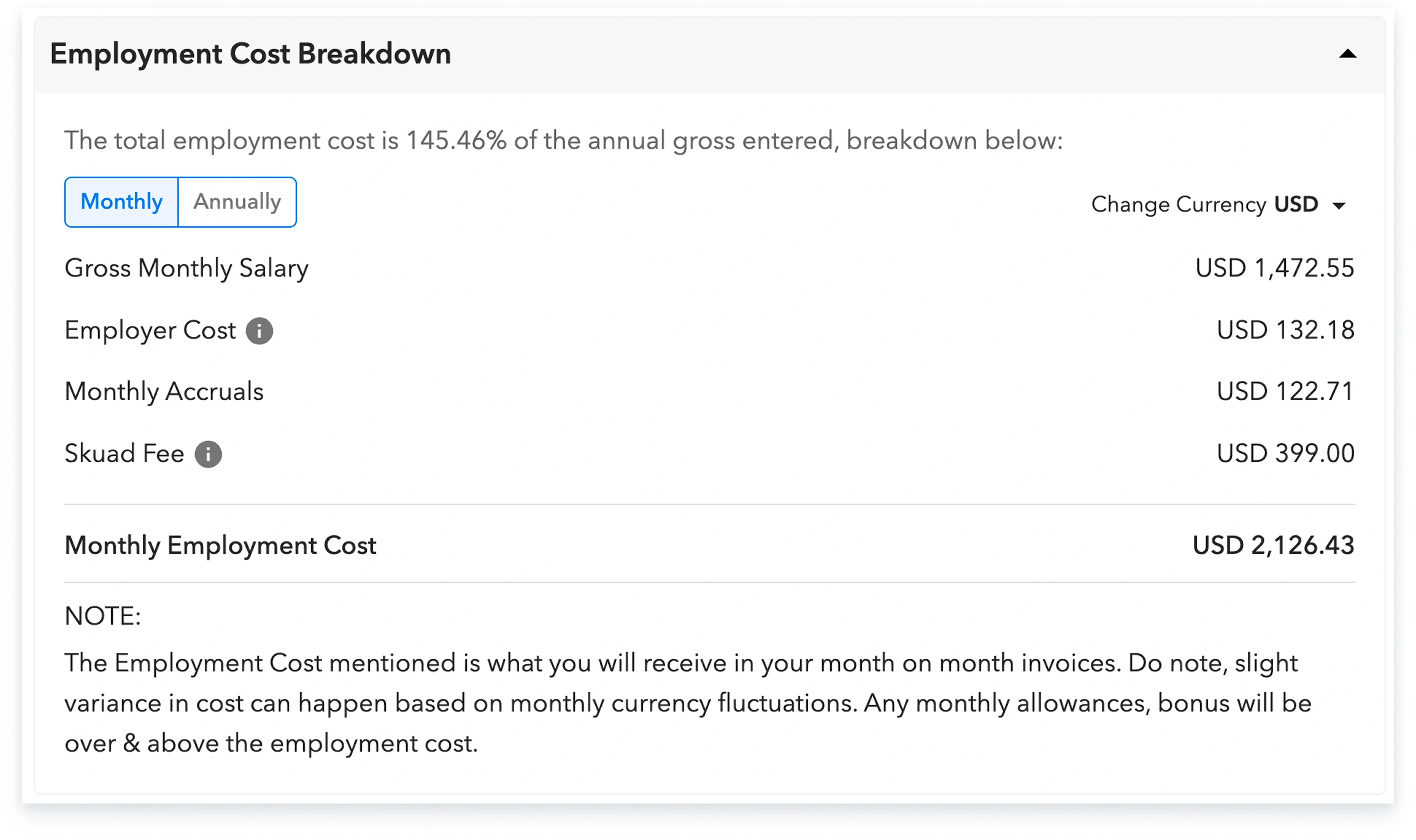
b) Once this is added, you will be able to view a detailed cost breakdown for the new hire.
Step 9:
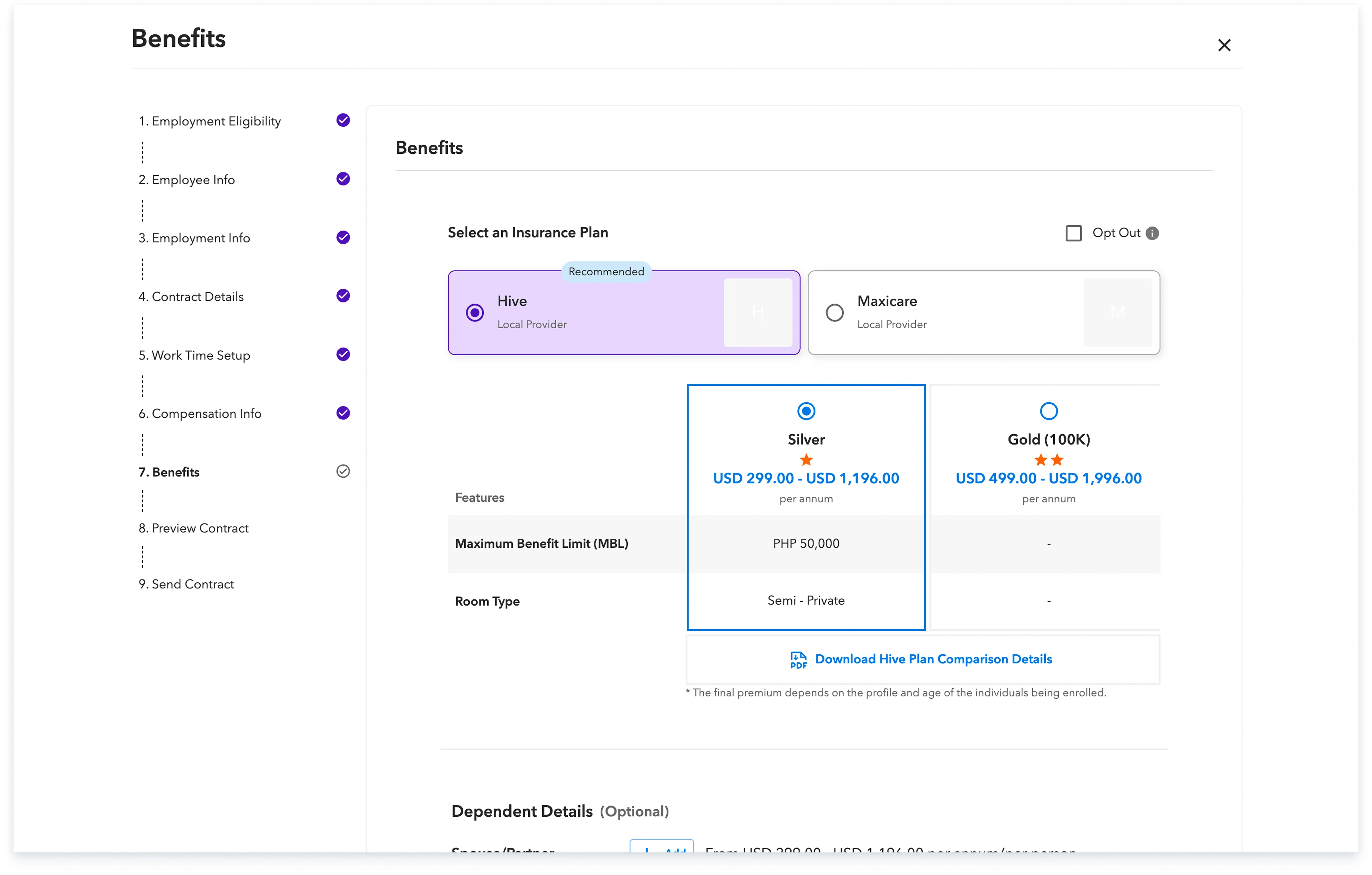
a) Choose whether to provide the employee with insurance and, if so, select from the available options
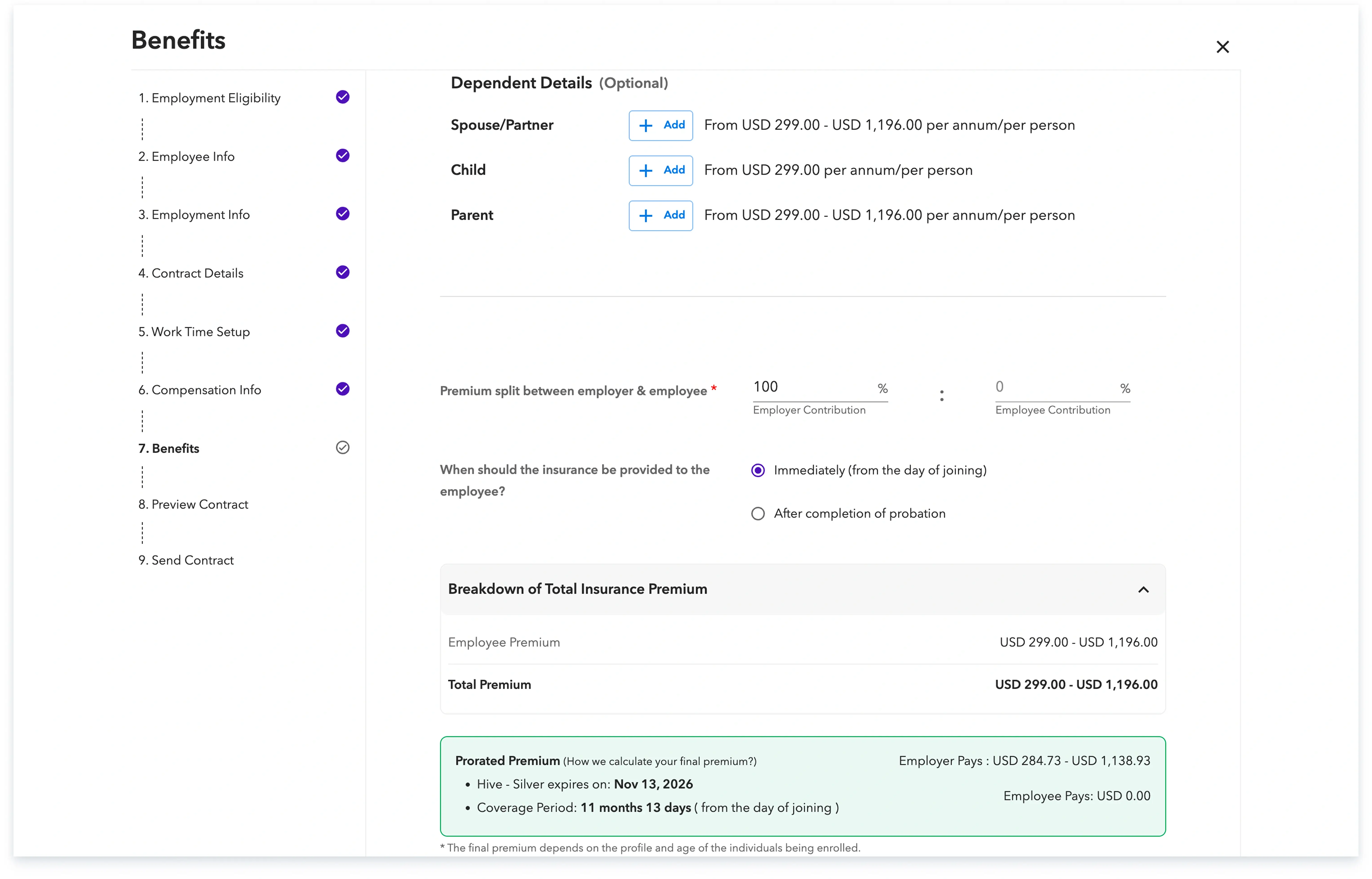
b) You can also add the dependent details and view the insurance premium breakdown
Step 10: Once you are satisfied with the contract details, provide confirmation to send the contract to your employee by checking the confirmation box and clicking on ‘Add employee’.
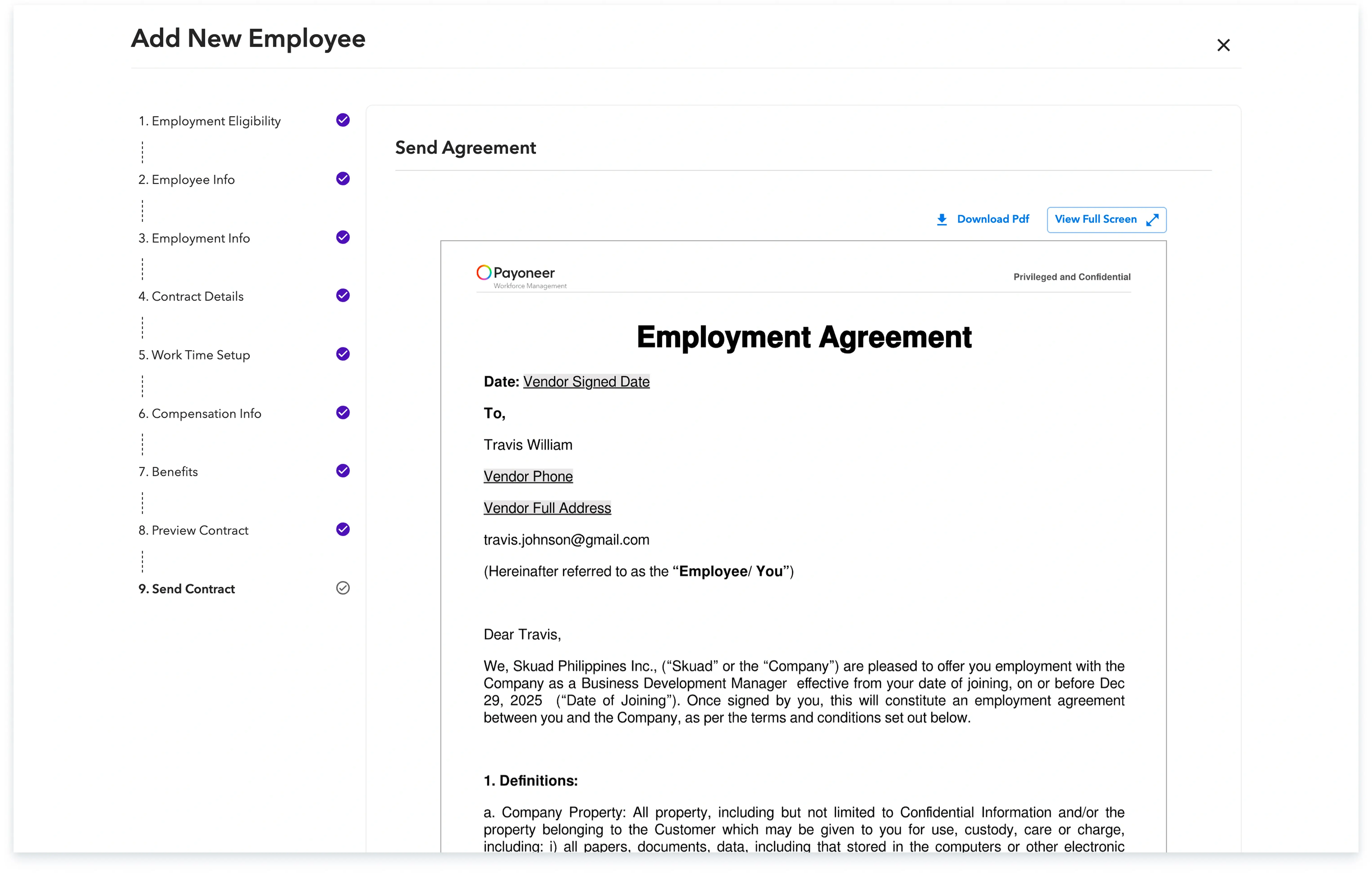
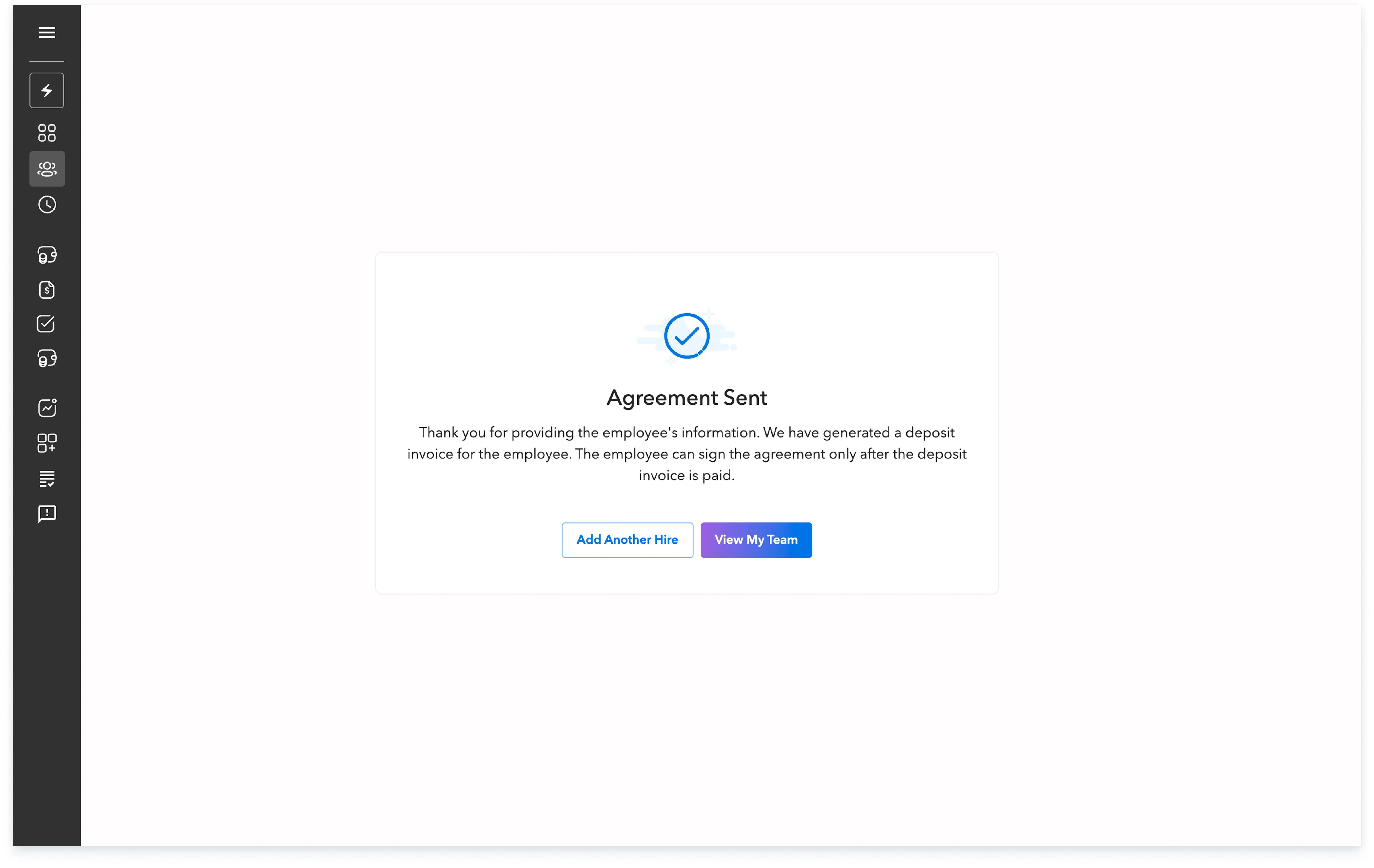
A confirmation message will appear indicating the successful addition of your request. You can continue to track the progress of this onboarding process, up to the employee's signature, from the ‘People’ section of the platform.
Global employment, payroll, teams and expansion, simplified.
Request demo