Oops! Something went wrong while submitting the form.
Date:
May 29, 2026
Last updated:
May 27, 2026
1) Enhanced access and role management
We’ve added new capabilities to give organizations more flexibility and control over user access. Admins can now define custom roles and assign permissions tailored to business needs, strengthening security and supporting compliance.
Key highlights
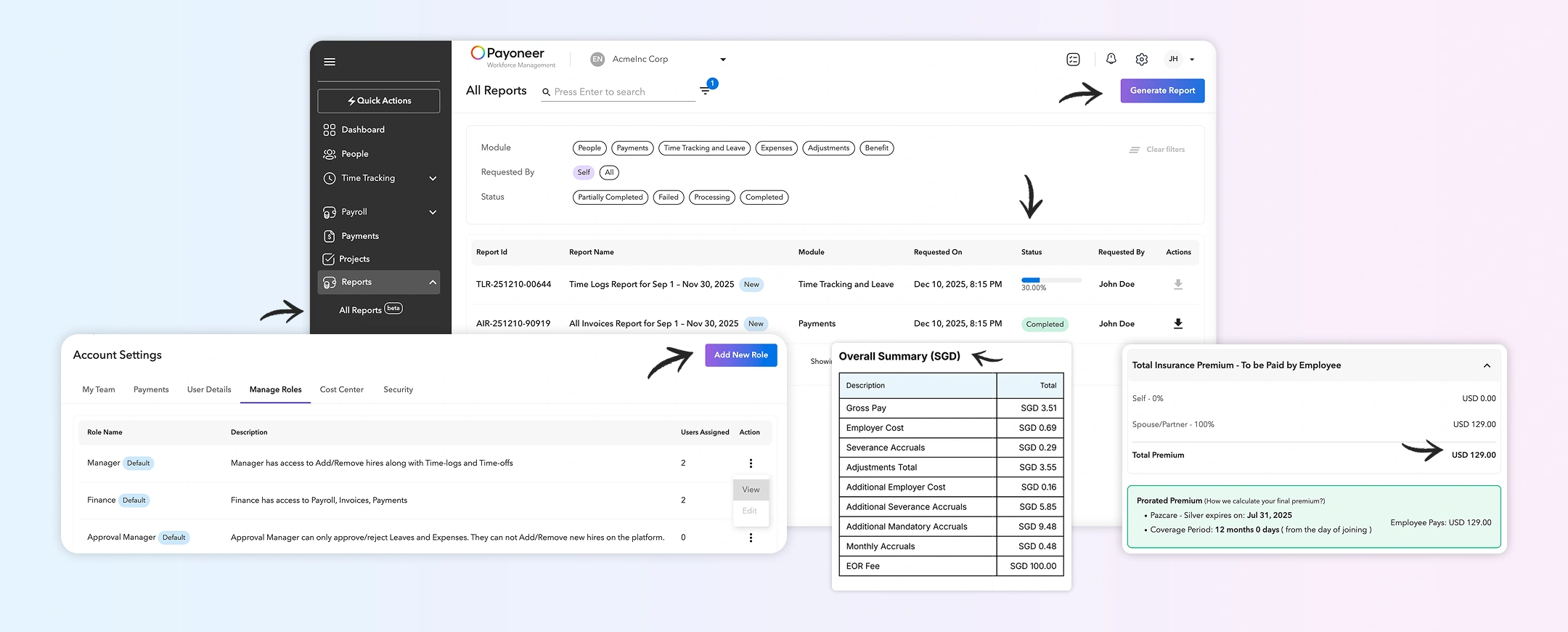
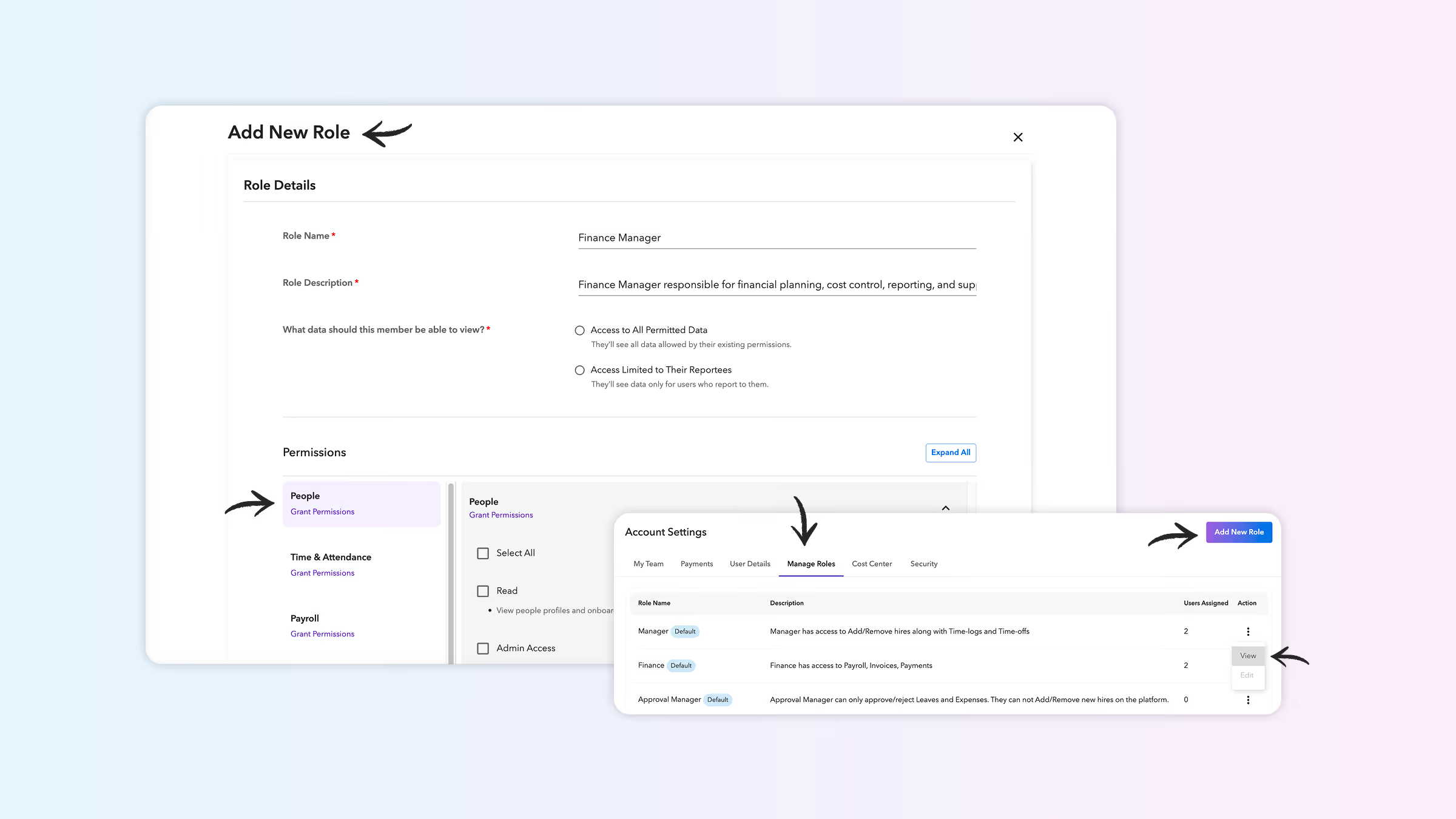
Manage roles section: A new area under Account settings lets admins view existing roles and assigned users.
Create custom roles: Add roles with custom names and descriptions, and configure permissions across modules like People, Documents, Time & attendance, Expenses, Invoicing, Payroll, and Payments.
Data visibility options: Choose whether a role can access all permitted data or only data for direct reports.
Protected system roles: Default roles such as Manager, Finance, Approval manager, and Account owner remain fixed and cannot be edited or deleted.
Detailed role view: Each role shows its name, description, data visibility scope, and grouped permissions for clarity.
Impact
Fine-grained access control aligned with organizational structure
Improved security and compliance
Reduced dependency on a single admin by safely distributing responsibilities
2) Centralized reporting module
We’ve introduced a dedicated reporting module on the client dashboard, giving organizations direct access to key reports without manual requests. Clients can now generate and download reports anytime for better efficiency, transparency, and audit readiness.
Key highlights
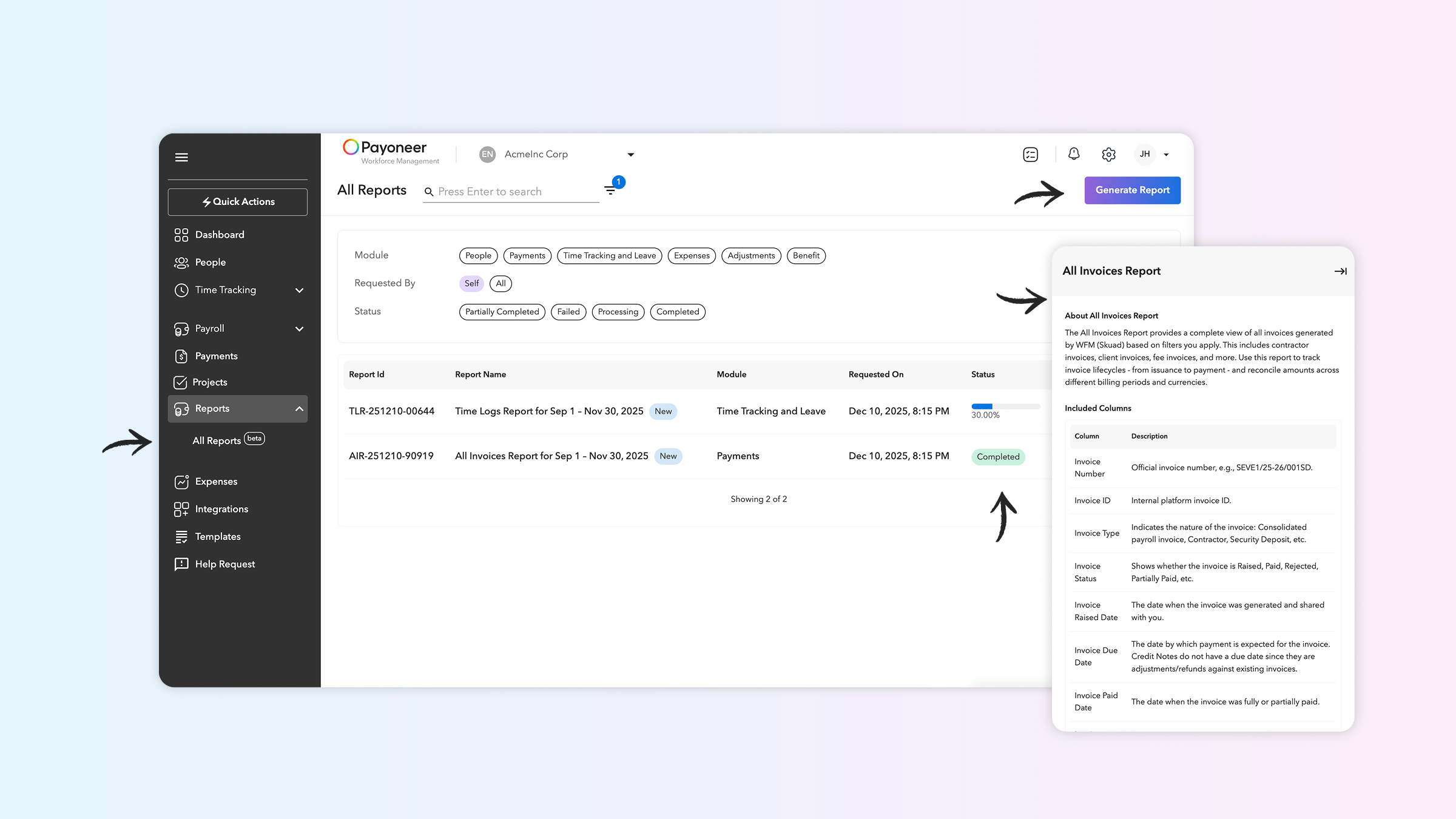
Self-serve report generation: Create and download reports such as transactions, invoices, fee breakdowns, and talent details directly from the dashboard.
Smart filtering: Apply filters like date range, status, talent name, hire type, and country to get the data you need.
Role-based access: Finance and account owners can view financial reports, while admins and approval managers can access talent-related reports.
Asynchronous generation: Large reports may take a few seconds to process, with a loading indicator displayed.
Quick guide (right panel): Each report includes a quick guide explaining its contents, key terms, and best use cases.
Available reports: Downloadable reports include Payments (Transaction report, Fee charges report, Failed transactions report, All invoices report), People (Workforce contracts and cost center, Workforce information report, Onboarding tracker report, Insurance report, Off-boarding tracker report), Time tracking and leave (Time logs report, Leave balance report, Time off report), Adjustments (Adjustment report), and Expenses (Expenses report), all in .xlsx format.
Impact
Saves time by reducing dependency on support teams
Improves accuracy with system-generated data
Enhances transparency and supports audit readiness
Enables informed decisions with full visibility into the workforce and payment history
One platform to grow your global team
Hire and pay talent globally, the hassle-free way with Skuad.
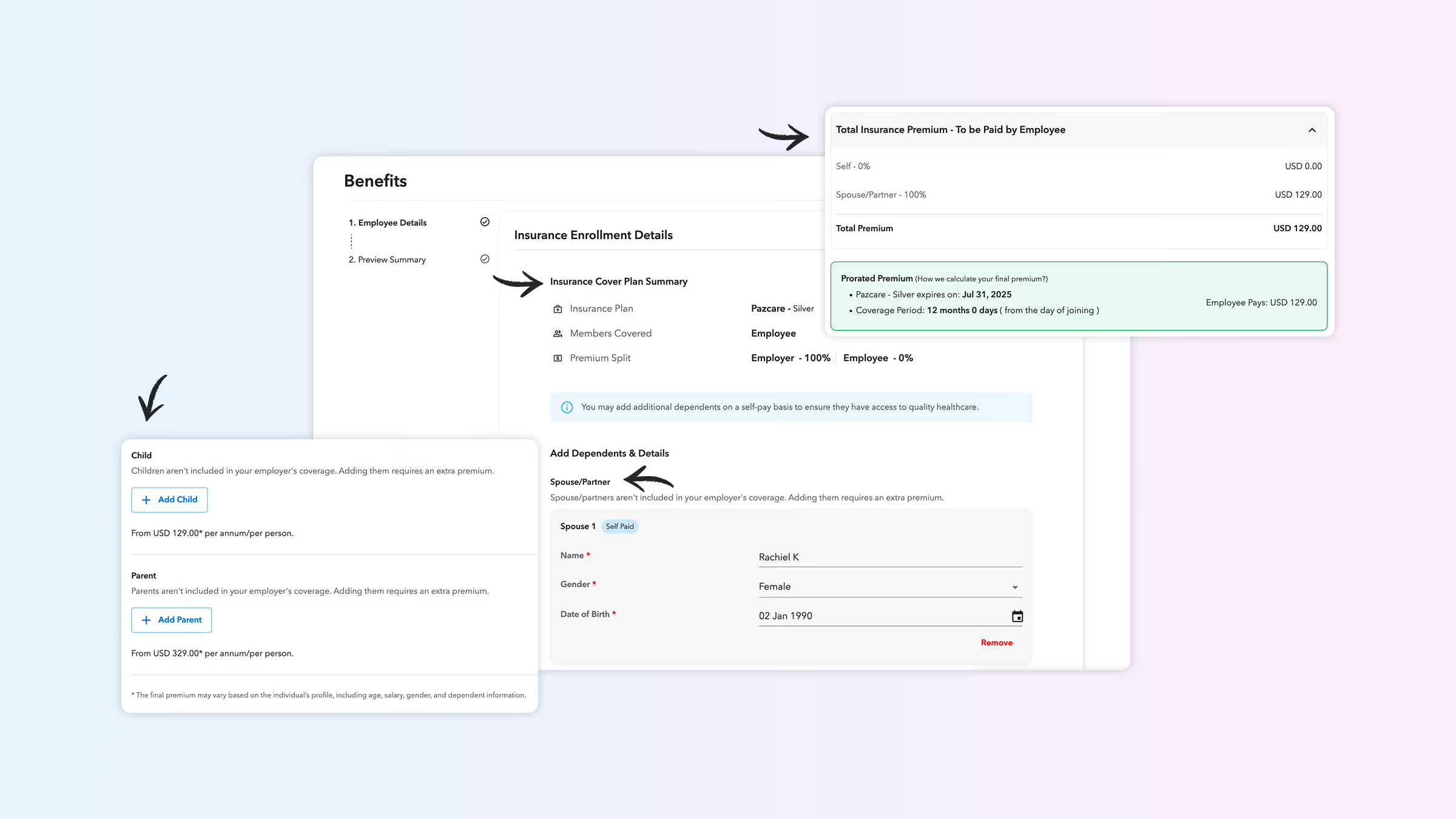
This feature gives clients clear visibility into gender, age, and relationship-based insurance premiums during onboarding. Employees also see plan details and pricing during profile creation and onboarding on the Payoneer Workforce Management portal.
Key highlights
New pricing options: Clients can select plans based on pricing variations such as individual or family, age-based (member or employee), and gender-based or gender-agnostic.
Family plan limits: Dependent limits by relationship type (spouse, children, parents) are displayed per insurer rules. The system prevents adding dependents beyond these limits to support compliance.
Employee and contractor visibility: Talent sees auto-calculated dependent premiums based on the client’s chosen plan, with clear coverage rules upfront.
Impact
Flexible plan selection with transparent pricing options
Automatic enforcement of insurer rules for compliance
Clear visibility for clients and talent during onboarding
4) Improved breakdown of employer costs and accruals on adjustments
We’ve updated the display of employer costs and accruals, allowing you to clearly see the breakdown of mandatory and severance components on your payrolls, reports, and invoices. Previously, additional accruals were grouped under a single “Mandatory Accruals” bucket; they are now split out for better clarity and control.
Key Highlights:
Separate line items for accruals: Payrolls, reports, and invoices will now show Additional Mandatory Accruals and Severance Accruals as separate line items, instead of grouping them under “Mandatory Accruals” (Applies to accrual-specific countries).
Refund handling with negative Adjustments: Refund adjustments will trigger negative Additional Mandatory Accruals and Severance Accruals, which will be displayed under the same sub-categories for full visibility.
Impact
Greater transparency into how employer costs and accruals are calculated on adjustments
Easier reconciliation between payroll, reports, and invoices
Reduced need for manual analysis to unpack the “Mandatory Accruals” bucket
Employ contractors and employees in 160+ countries